INDIA
INDIA
 USA
USA CANADA
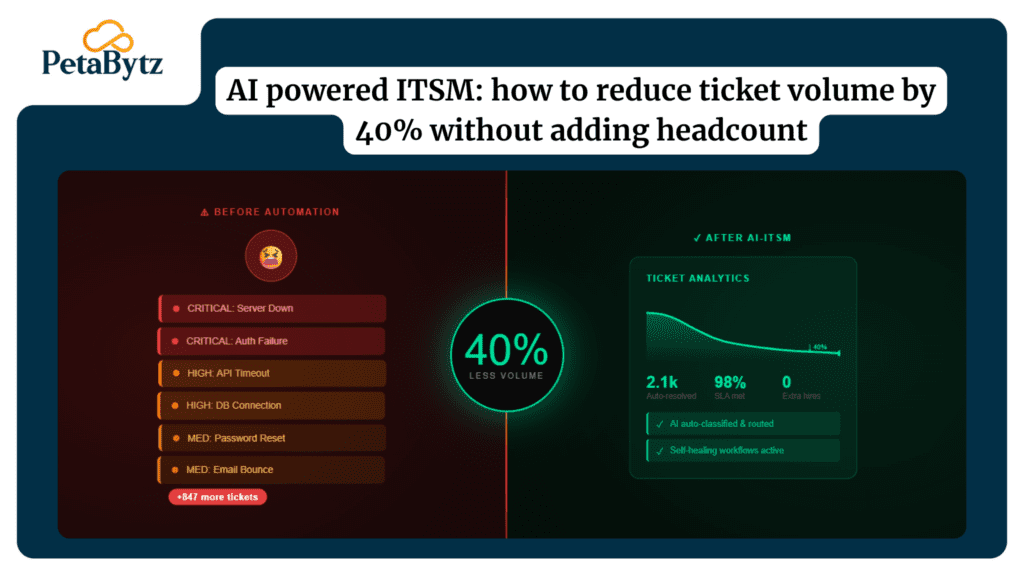
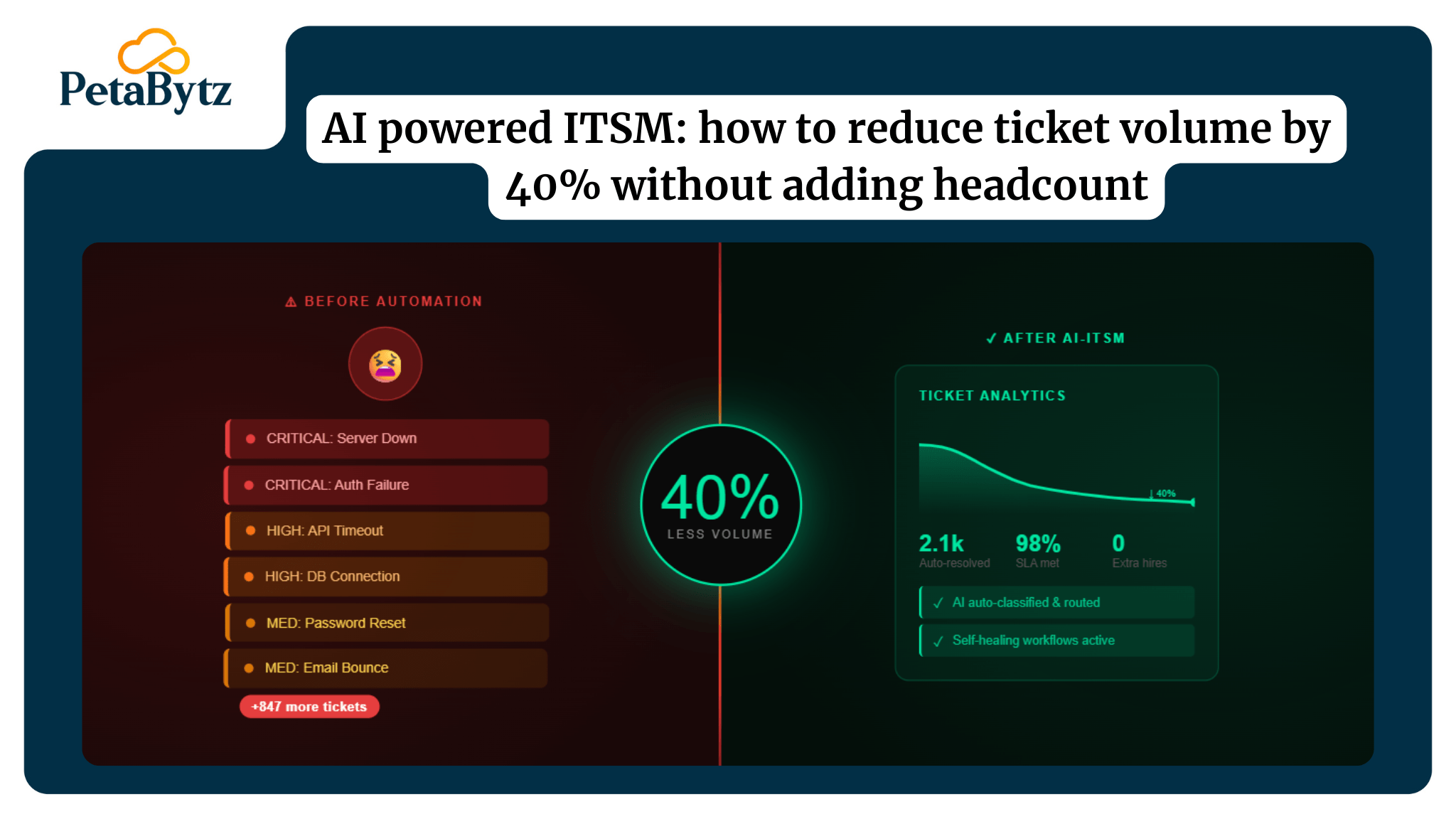
AI powered ITSM: how to reduce ticket volume by 40% without adding headcount
28/04/2026
Your agents are buried. The queue never empties. You have the same 20 types of tickets landing every single day – password resets, access requests, software installs -and each one is handled manually, one at a time.
You haven’t added headcount. But ticket volume keeps climbing. SLA breaches are piling up. And your team’s morale is taking the hit.
Here’s the thing: your service desk isn’t understaffed. It’s under-automated.
AI powered ITSM doesn’t replace your agents. It removes the repetitive work that was never worth their time in the first place. Leading IT teams are cutting ticket volume by 40% – without hiring a single person.
In this guide, you’ll learn:
- Why ticket volume keeps rising despite your team’s best efforts
- The three AI levers that drive a 40% reduction in ticket load
- How intelligent triage, auto-resolution, and knowledge deflection work together
- A phased implementation roadmap you can actually follow
- The KPIs that tell you if your ai powered itsm strategy is working
- How Petabytz helps IT teams implement this without the guesswork
Contact us now
AI Powered ITSM: Cut Ticket Volume by 40%| Petabytz
The ticket volume problem is worse than you think
The average enterprise service desk receives 1,000 to 1,200 tickets per month per 100 employees. That number comes from Gartner and HDI benchmarking data, and it’s been rising for years.
The bigger problem? Around 60 to 70% of those tickets are L1-resolvable. They don’t need a senior engineer. They don’t need escalation. They need a defined workflow and someone — or something — to run it.
Manual handling of L1 tickets costs real money. An average L1 ticket handled by an agent takes 15 to 20 minutes. Multiply that by 700 tickets per month, and you’re burning thousands of hours that could be automated.
An itsm ticketing system that relies entirely on agents to classify, route, and resolve every request is a bottleneck by design. And no amount of hiring will fix a process problem.
AI lever 1: intelligent triage with ai powered itsm
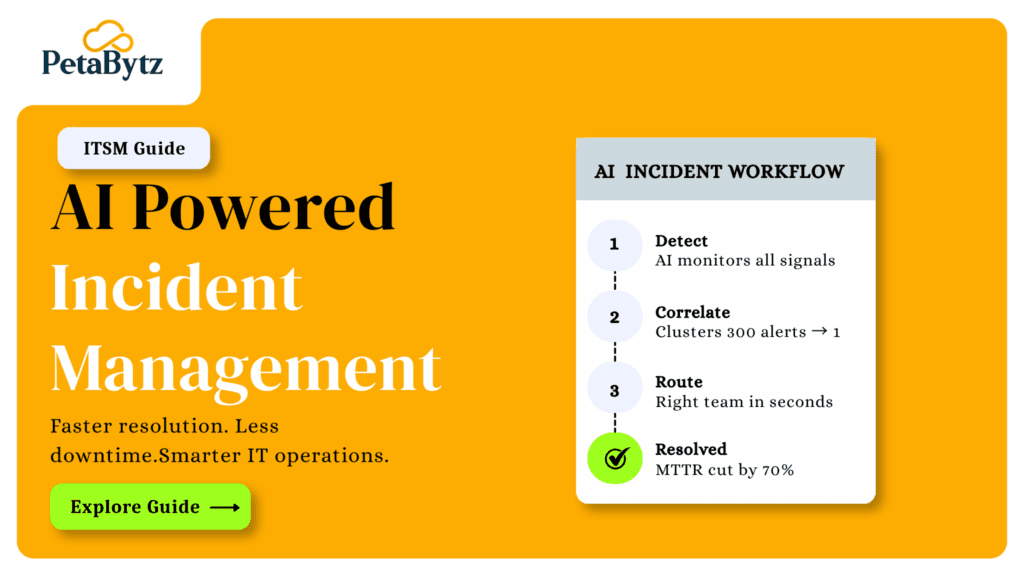
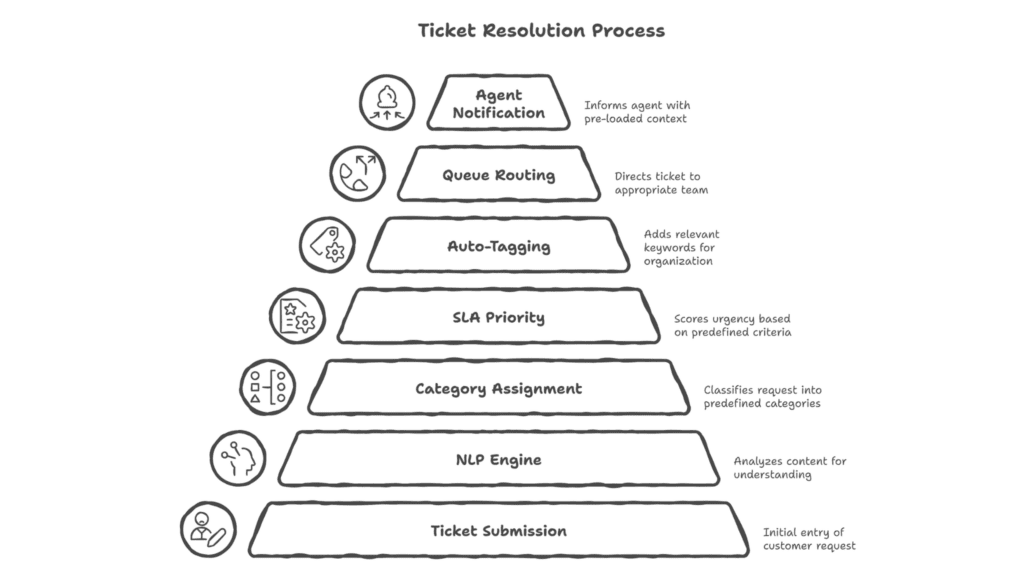
Triage is where most service desks lose the most time. A ticket comes in. Someone reads it. Someone tags it. Someone routes it to the right queue. That entire sequence can now happen in under 30 seconds — without an agent touching it.
AI powered ITSM uses natural language processing (NLP) to read incoming tickets and automatically categorize them. It assigns tags based on content, matches SLA priority based on urgency, and routes to the right team instantly.
The before-and-after here is striking. Average manual triage time: 8 minutes. With AI triage: under 30 seconds. For a desk receiving 1,000 tickets a month, that’s 130+ hours saved every single month.
AI lever 2: auto-resolution for common ticket types
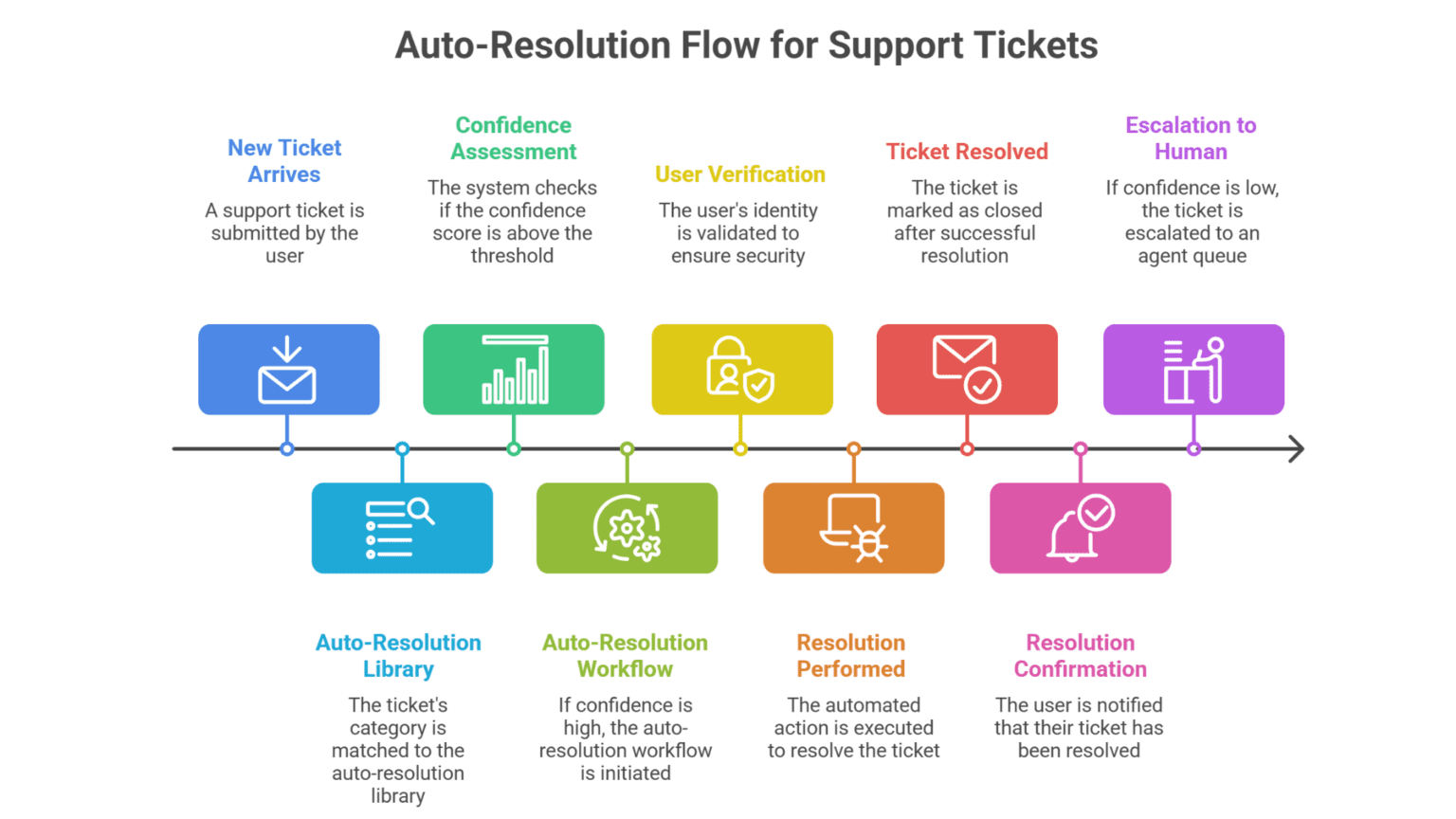
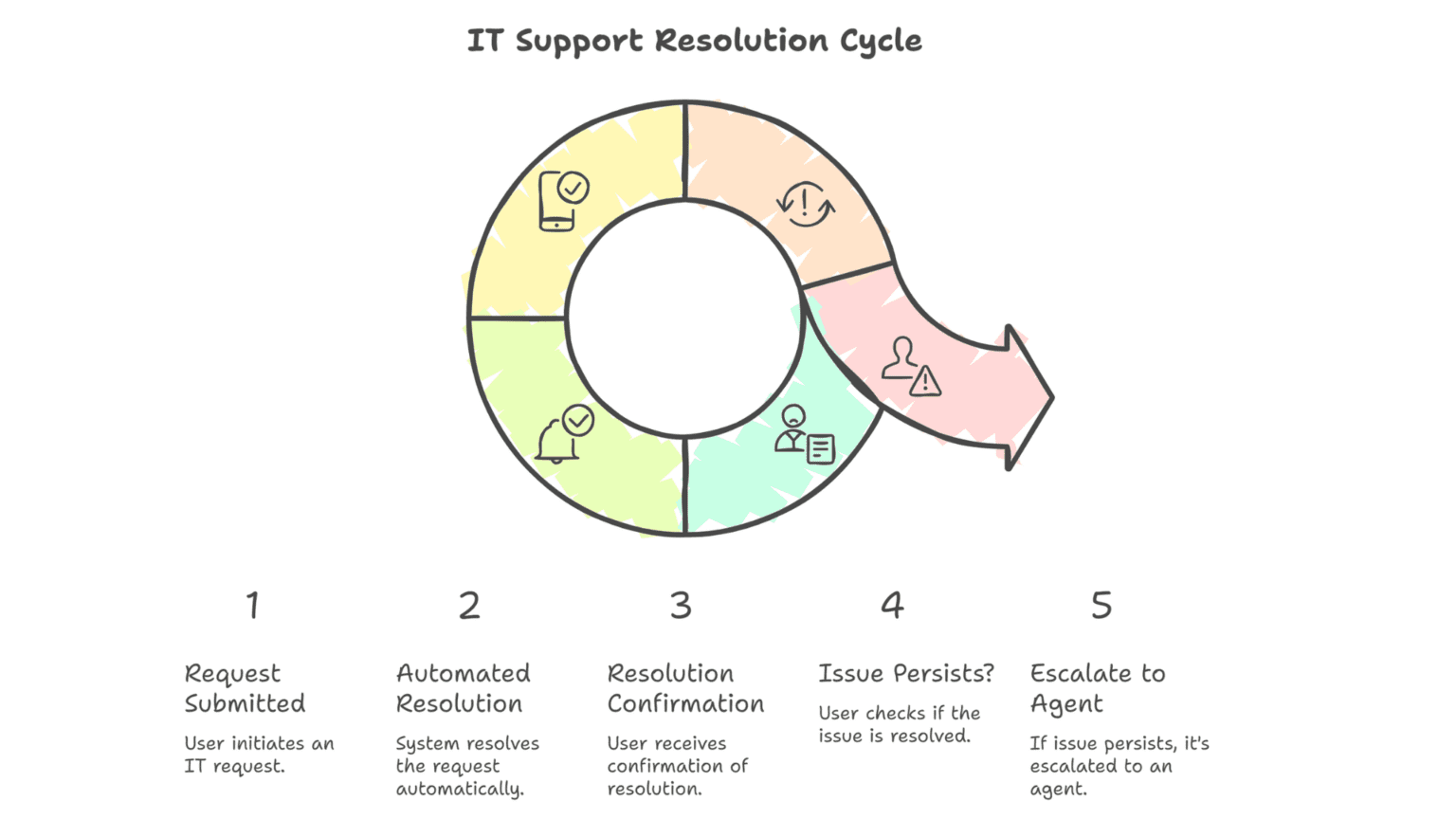
This is where ai in itsm gets genuinely powerful. Auto-resolution means a ticket comes in, gets processed, gets resolved, and gets closed — with zero agent involvement.
Here’s a practical example. A user submits a password reset request. The AI powered ITSM system reads the request, validates the user’s identity, triggers the reset workflow, sends the new credentials, and closes the ticket. From submit to closed: under 2 minutes. No agent touched it.
Auto-resolution works best for a specific set of ticket categories:
- Access provisioning and deprovisioning
- Software installation requests
- Password and account unlock requests
- VPN and connectivity troubleshooting
- Hardware request acknowledgment and routing
A key question teams ask: how does the system know when to escalate? That’s handled through confidence thresholds. If the AI’s confidence in its resolution path falls below a set percentage, it flags the ticket for human review. You control where that threshold sits.
AI lever 3: knowledge base deflection before tickets are submitted
Most knowledge bases fail. Not because the answers aren’t there — but because users can’t find them, or the articles are outdated, or the interface is clunky. So users skip the KB and go straight to submitting a ticket.
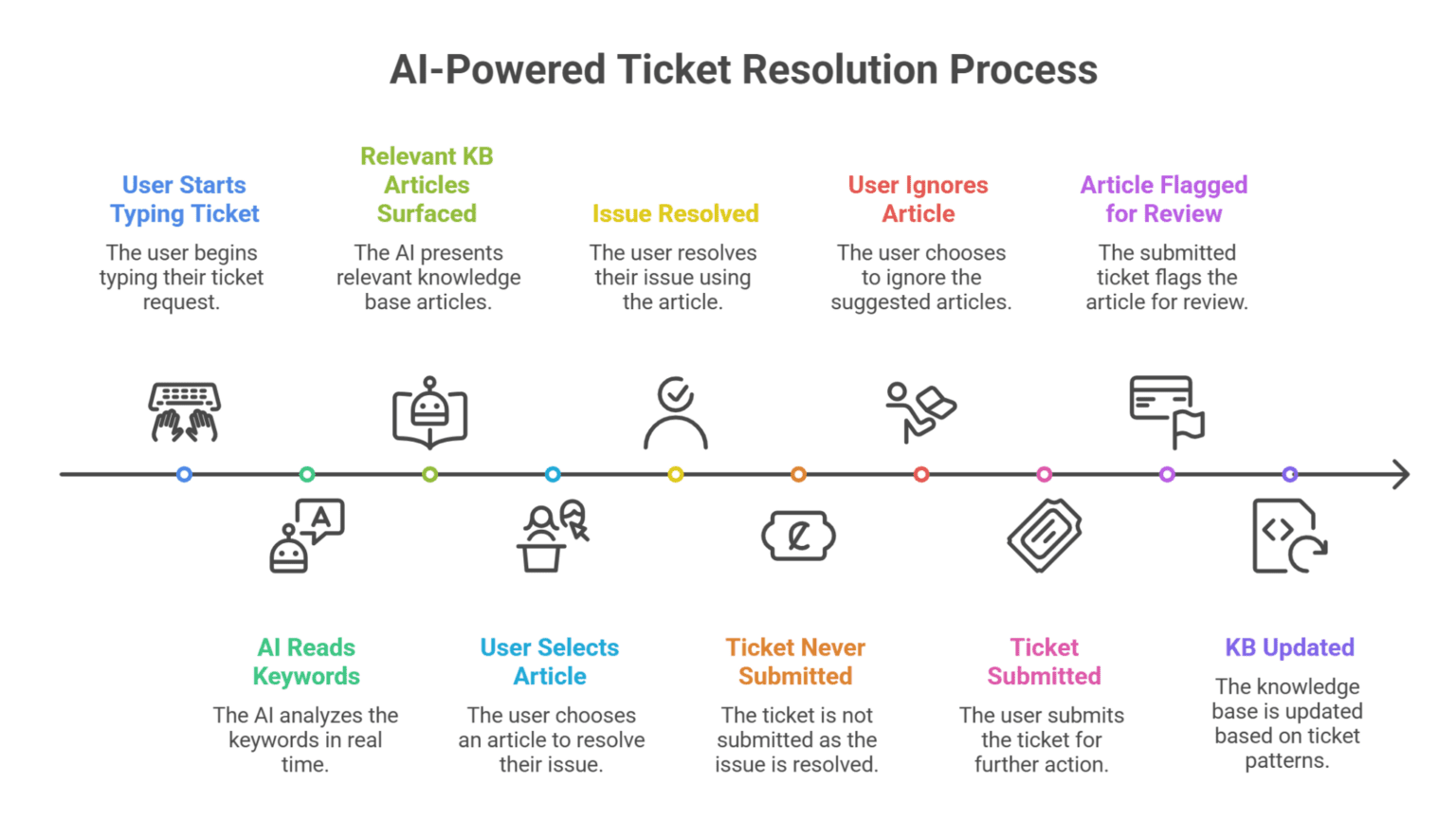
AI powered ITSM fixes this at the source. When a user starts typing a ticket, an AI-powered search engine surfaces relevant knowledge articles in real time — before they hit submit. In many cases, the user finds the answer and never submits a ticket at all.
The second piece is keeping the knowledge base current. This is where most itsm tools fall short — stale articles that erode user trust. AI solves this by analyzing ticket patterns and flagging articles that are generating repeat tickets. If 200 users submitted the same question, the KB article clearly isn’t working. The system surfaces it for review and suggests updated content.
AI powered ITSM workflow templates you can use right now
You don’t need to build these from scratch. The two templates below cover the highest-impact scenarios in any ai powered itsm rollout — triage logic and auto-resolution confirmation. Adapt them to your environment and drop them straight into your workflow configuration.
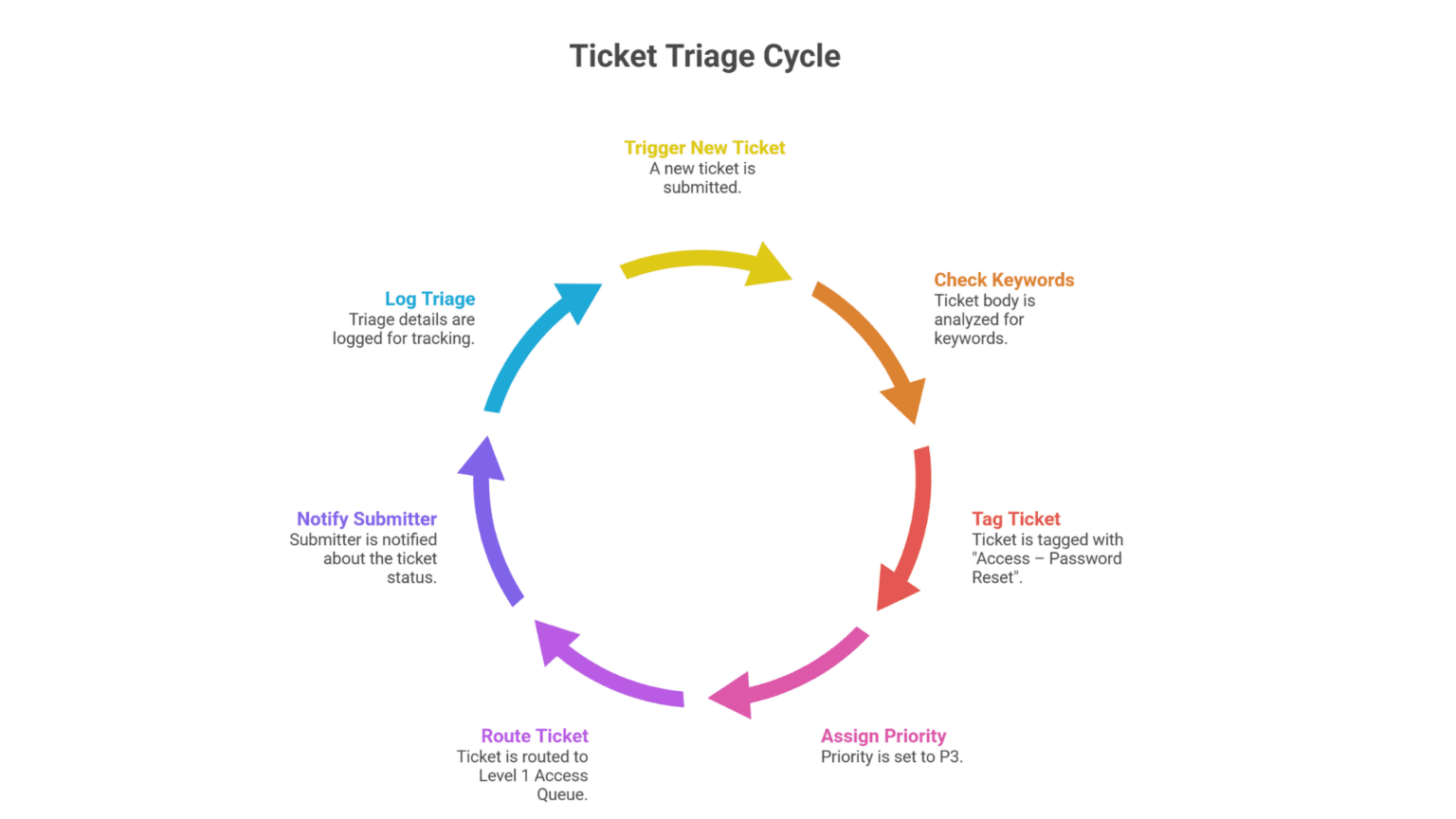
1: Triage auto-tagging logic script
Use this as the logic layer for your AI triage rule. Plug it into your itsm ticketing system’s automation engine — whether that’s ServiceNow, Jira, or a custom help desk itsm setup.
2: Auto-resolution user confirmation message
Send this the moment a ticket is resolved automatically. It closes the loop with the user and reduces follow-up tickets caused by silence after submission.
Implementation roadmap: how to roll out ai powered itsm in phases
Don’t try to automate everything at once. That’s how implementations fail. The right approach is phased — starting where the risk is lowest and the speed is highest.
Phase 1: Intelligent triage (weeks 1 to 4)
Start here. Triage carries the lowest implementation risk and delivers the fastest visible results. Your team still handles resolution — but every ticket arrives pre-classified, pre-tagged, and pre-prioritized. Agents spend zero time on manual sorting.
Phase 2: Knowledge base deflection (weeks 5 to 8)
Integrate AI-powered search into your service portal. Start surfacing KB articles at ticket submission. Track your deflection rate weekly — this is one of your core KPIs. Begin the AI-flagging process to identify stale articles and start updating them.
Phase 3: Auto-resolution for L1 tickets (weeks 9 to 16)
Now that you have clean triage and a healthy knowledge base, introduce auto-resolution for your highest-volume, lowest-complexity ticket types. Start with password resets. Expand to access provisioning. Build your confidence threshold controls before going live.
Best practices to improve your ai powered itsm implementation
- Clean up your workflows before you automate them. Automating a broken process makes it a faster broken process. Map your current ticket flows, identify gaps, and fix them first. AI powered ITSM amplifies what’s already there — good or bad.
- Set realistic confidence thresholds from the start. Don’t set auto-resolution at 100% confidence required — that’s too restrictive. But 60% is too permissive. Most teams start at 80% and adjust based on error rates over 30 days.
- Track deflection rate and agent satisfaction — not just resolution speed. Deflection rate tells you how many tickets never had to be submitted. Agent satisfaction score tells you if the workload shift is actually improving their day. Both matter more than raw speed.
- Treat your knowledge base as a living product. Schedule monthly KB reviews. Use AI flagging to surface the articles generating the most repeat tickets. One updated article can deflect 50 tickets a month.
- Test your help desk ITSM escalation paths before going live. Simulate low-confidence ticket scenarios. Make sure the escalation routing works correctly. Agents should receive a fully contextualized ticket — not a raw dump of the original submission.
- Don’t skip the change management piece. Agents need to understand that ai in itsm is removing the work they hate, not replacing them. Frame the rollout around freeing capacity for strategic, high-value work.
How Petabytz helps you implement ai powered itsm without the guesswork
Most IT teams know they need ai powered itsm. The challenge isn’t the concept — it’s the execution. Where do you start? How do you configure confidence thresholds? How do you integrate AI triage with your existing servicenow itsm environment?
That’s where Petabytz comes in. Petabytz is an ITSM services partner that specializes in implementing and optimizing AI-powered service desk environments. Whether you’re running ServiceNow, a custom itsm ticketing system, or evaluating itsm tools for the first time, Petabytz brings a structured methodology that gets you from zero to measurable results — fast.
Their team has implemented ai itsm solutions across enterprise environments, with documented outcomes in the 35 to 45% ticket volume reduction range within the first 90 days. They don’t just hand you a platform and walk away. They configure, train, and optimize your AI models based on your actual ticket data.
If you’re running a help desk itsm environment and want to know what a 40% reduction in ticket volume would actually mean for your team’s capacity — Petabytz has the tools and the track record to show you.
Conclusion: you don’t need more headcount. You need smarter automation.
Your ticket queue isn’t a headcount problem. It’s an automation gap.
AI powered ITSM gives you three independent levers — intelligent triage, auto-resolution, and knowledge deflection — and you don’t need to deploy all three at once to see results. Start with triage. Watch the change. Expand from there.
The data is clear: 35 to 45% ticket volume reduction within 90 days is achievable for teams that implement AI triage and deflection together. That’s not a promise from a vendor. That’s what the industry numbers show, repeatedly.
You don’t need to overcomplicate it. Pick the highest-volume, lowest-complexity ticket types. Automate those first. Measure relentlessly. Improve continuously.
Your agents are too talented to spend their days resetting passwords. Give them back their time.
Ready to see what ai powered itsm could do for your team?
Talk to Petabytz. Calculate your ROI. And take the first step toward a service desk that scales without adding headcount.
Website: www.petabytz.com
Email: info@petabytz.com
Frequently Asked Questions (FAQ’s)
What is ai powered itsm and how does it work?
AI powered ITSM uses machine learning and NLP to automate ticket classification, routing, and resolution within your IT service management environment. It processes incoming requests, applies logic, and resolves or routes them without manual agent involvement.
Can ai in itsm integrate with servicenow itsm platforms?
Yes. AI in ITSM is designed to layer on top of existing platforms including ServiceNow ITSM, Jira Service Management, and other itsm tools. Integration typically happens via API, and most enterprise platforms support AI module extensions natively.
Is ai powered itsm suitable for small IT teams or only enterprise?
AI powered ITSM scales to team size. Small teams often see proportionally greater impact because every hour saved is more visible. The itsm ticketing system complexity matters more than team size — any team processing 300+ tickets per month is a strong candidate.
What KPIs should I track when rolling out ai itsm?
Track deflection rate, first-contact resolution rate, mean time to resolve, and agent satisfaction score. These four metrics give you a complete view of how ai powered itsm is performing across both efficiency and experience dimensions.
Recent Posts