INDIA
INDIA
 USA
USA CANADA
When AI Automation Fails: How Agentic AI Handles Unpredictable Enterprise Workflows
22/05/2026
Your workflow was running perfectly. Then one vendor changed their approval policy. Or a new compliance rule dropped overnight. Suddenly, your AI automation is stuck — throwing errors, stalling tickets, or routing requests to the wrong team.
This is not a rare edge case. It happens every week inside real enterprises. And it reveals the fundamental problem with traditional automation: it was built for predictable paths. The moment something changes, it breaks.
Agentic AI changes that equation completely. It does not just follow a script. It reads context, adapts decisions, and keeps workflows moving — even when the unexpected happens.
In this guide, you will learn:
- Why static AI automation keeps breaking in enterprise environments
- Where traditional workflows fail in ITSM, HR, vendor approvals, and incident escalations
- How agentic-AI dynamically adapts decisions in real time
- What workflow templates look like using agentic AI logic
- Best practices to make your AI workflow automation actually work
- How Petabytz helps enterprises implement this today
Contact us now
When AI Automation Fails: How Agentic AI Adapts
Why AI automation keeps breaking in enterprises
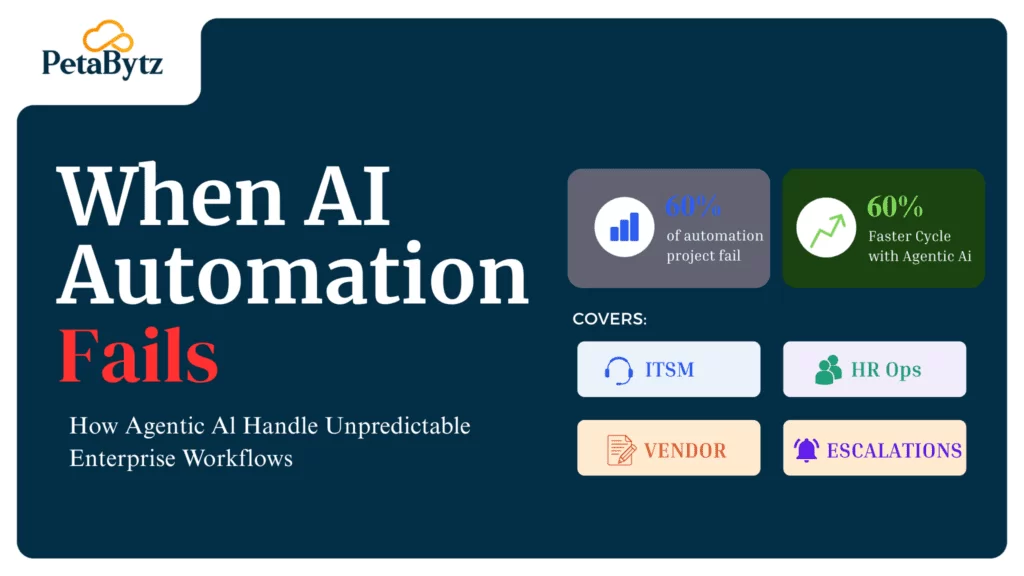
Over 60% of enterprise automation initiatives fail to scale beyond their initial pilot phase. The reason is almost always the same — the workflow changes, but the automation does not.
Traditional AI automation is rule-based at its core. It handles what you anticipated. It cannot handle what you did not. And in enterprise environments, the unexpected is not the exception — it is the norm.
Common reasons static AI automation fails:
- Policy changes invalidate existing decision branches overnight
- New employee roles or team structures break approval chains
- External vendor systems update their APIs without notice
- Escalation thresholds shift based on incident severity, not just category
Every one of these scenarios demands a form of reasoning that traditional AI automation simply cannot provide. It needs context. It needs judgment. It needs adaptability.
Where static workflows fail: four real enterprise scenarios
1. ITSM: when ticket routing stops making sense
IT Service Management is where AI automation promises the most — and fails the hardest. According to Gartner, organizations lose an average of $5,600 per minute during unplanned IT downtime.
A static ITSM workflow routes “network issues” to Team A. It always has. Then the company restructures. Team A no longer handles network issues for the eastern region. Suddenly, every ticket is going to the wrong place.
The AI automation keeps routing. The tickets keep piling up. Nobody notices until SLAs are breached.
What agentic-AI does instead:
- Reads the current org chart before routing each ticket
- Cross-references the ticket type with active team assignments
- Routes based on real-time availability and specialization
- Flags ambiguous cases for human review instead of guessing
2. HR onboarding: where rigid flows create costly delays
Research shows that 20% of employee turnover happens within the first 45 days. Poor onboarding is a primary driver. And broken AI automation makes it worse.
A new hire joins as a contractor-turned-full-time employee. The AI workflow was built for either contractors or full-timers — not both. It misses access provisioning steps. It skips compliance training notifications. It sends the wrong manager a welcome email.
The new employee spends their first week chasing IT access manually. That is not the experience anyone planned for.
Agentic AI in automation handles this differently:
- Detects hybrid employment scenarios and selects the right onboarding track
- Dynamically generates a task list based on role, location, and employment type
- Adjusts the workflow mid-process when HR updates the hire record
- Notifies stakeholders in the right sequence, every time
3. Vendor approvals: where one policy update blocks everything
Vendor procurement workflows are notoriously complex. A single approval chain can involve finance, legal, compliance, and the department head. Change one rule, and the entire chain breaks.
A company updates its vendor policy — all contracts above $50,000 now require an additional CFO sign-off. The old AI automation does not know this. It keeps routing $80,000 contracts through the standard chain.
That contract gets signed. Audit flags it. Compliance team scrambles. All because the AI in automation did not adapt.
What agentic AI does in real time:
- Reads current procurement policy from a live knowledge base
- Identifies the contract value and maps it to the correct approval tier
- Inserts the new CFO approval step automatically
- Logs the decision rationale for audit transparency
4. Incident escalations: where delays cost real money
Incident management is time-critical. IBM’s Cost of a Data Breach Report 2023 found that organizations with fully deployed AI automation contained breaches 108 days faster than those without.
But traditional AI workflow automation uses category-based escalation. A P2 incident always goes to the on-call engineer. What if the on-call engineer is unavailable? What if the incident is a P2 that is trending toward a P1?
Static workflows wait for someone to manually upgrade the severity. Agentic AI for automation does not.
Agentic AI adapts in incident escalations by:
- Monitoring real-time signals like error rate spikes and response time degradation
- Automatically upgrading incident severity when thresholds are crossed
- Routing to backup engineers when primary contacts are unavailable
- Sending proactive stakeholder updates without manual intervention
What makes agentic AI different from standard AI automation
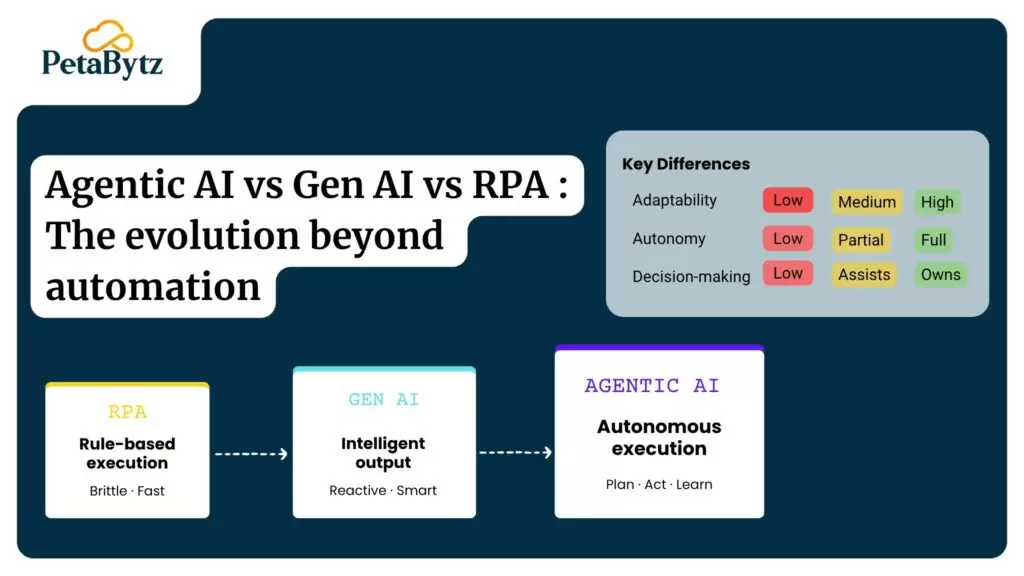
Standard AI automation executes instructions. Agentic AI makes decisions. That is not a subtle difference — it is a fundamental one.
Agentic AI systems are designed to:
- Set goals and pursue them across multiple steps
- Use tools like APIs, databases, and search to gather context
- Evaluate intermediate results and adjust their approach
- Hand off to human agents when the situation requires it
- Log every decision with a clear rationale for audit and review
According to McKinsey, organizations that implement adaptive AI workflow automation see a 30 to 40% reduction in process cycle times. That is not a marginal gain. That is operational transformation.
Traditional AI automation follows paths. Agentic AI in automation navigates them.
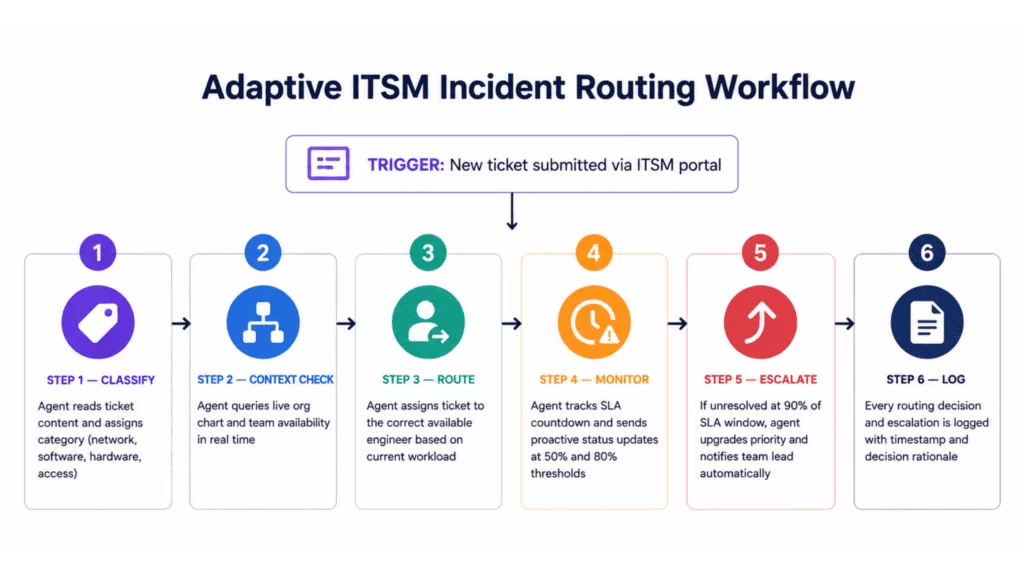
1: Adaptive ITSM incident routing
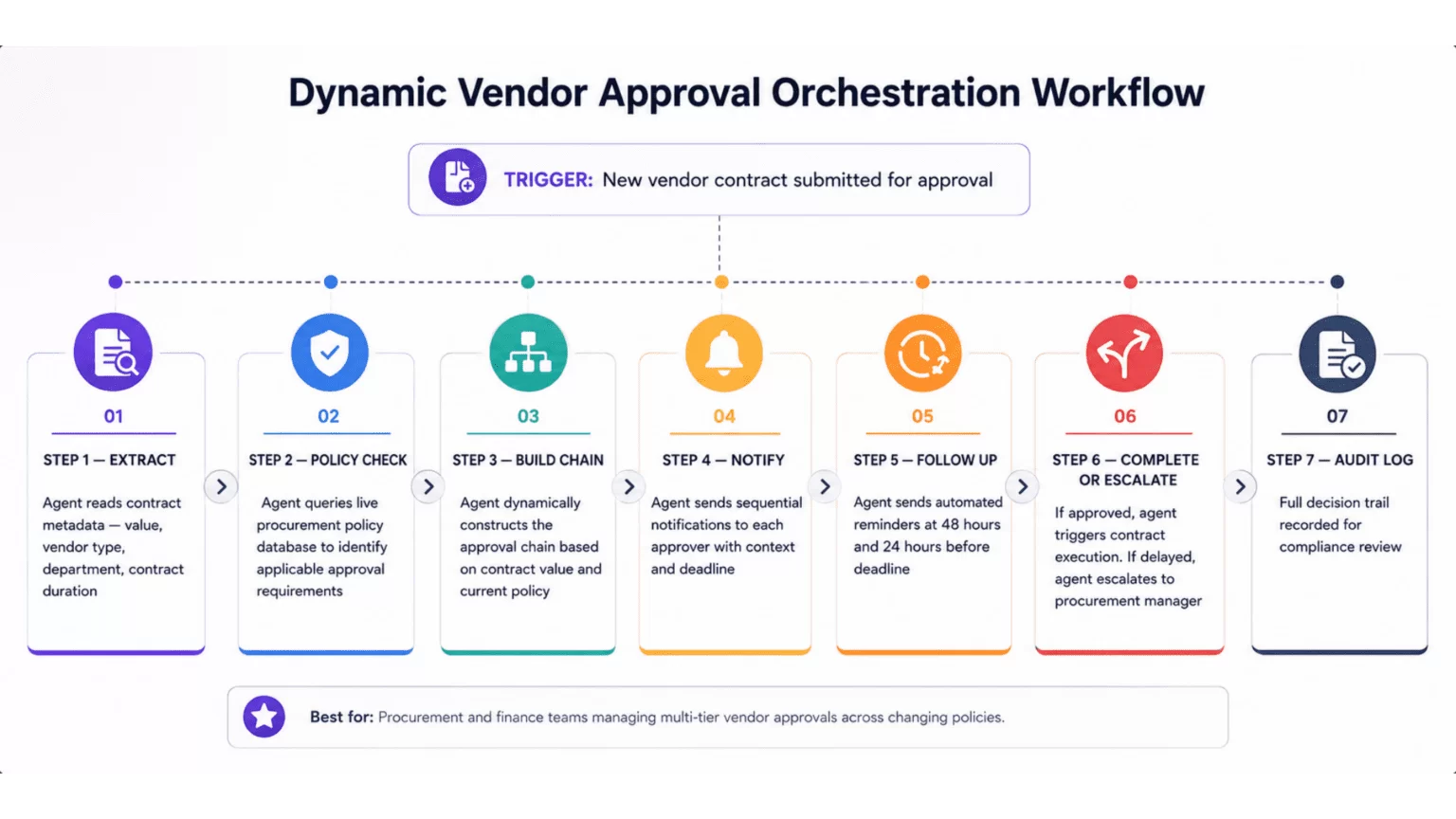
2: Dynamic vendor approval orchestration workflow
Suggested Reading:
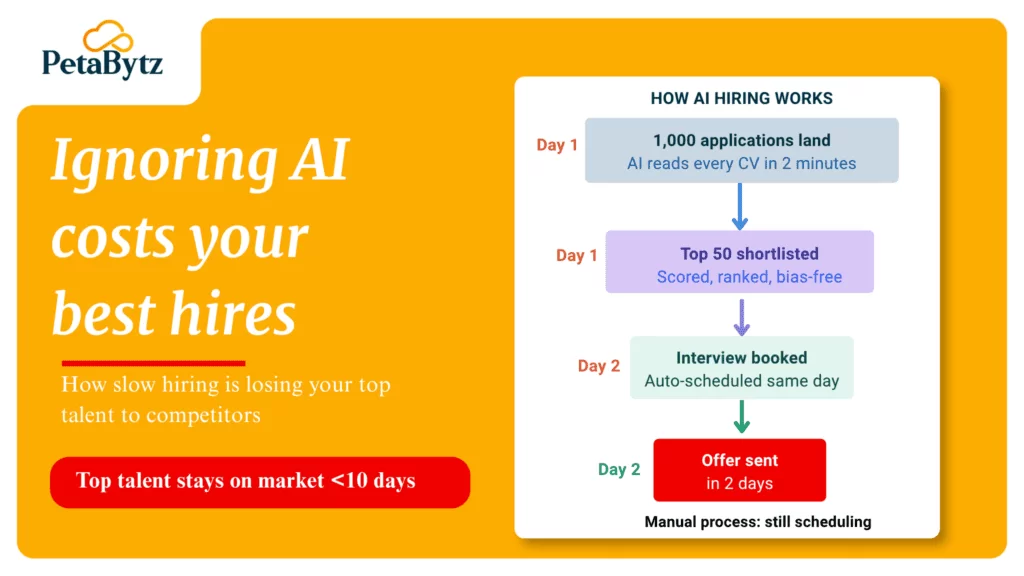
Ignoring AI in recruitment could cost you your best hiresBest practices to make your AI workflow automation actually work
Most AI automation projects do not fail because of the technology. They fail because of how the technology is deployed. Here is what the best implementations get right.
1. Connect AI to live data sources, not static config files
Static configuration is the enemy of adaptive automation. Your agentic AI needs real-time access to policy documents, org charts, and system states.
- Integrate with your HR system for current employee and team data
- Connect to your policy management tool for live rule updates
- Pull from your ITSM platform for active ticket and SLA status
2. Design for human handoff, not full automation
The best AI for automation knows its limits. Not every decision should be automated. Build clear handoff triggers that route to humans when confidence is low.
- Define confidence thresholds for automated vs. human decisions
- Build escalation paths that are fast and frictionless
- Ensure every handoff includes full context for the human agent
3. Log every agentic decision for audit and learning
AI automation without auditability is a liability. Every decision your agentic AI makes should be logged with a clear rationale.
- Record what data the agent used to make each decision
- Flag deviations from expected patterns for review
- Use logs to improve agent behavior over time
4. Start with one high-impact workflow, then scale
Enterprises that try to automate everything at once end up automating nothing well. Pick the workflow that breaks most often. Fix that first.
- Identify the top three workflow failure points by frequency
- Build and validate agentic logic for the highest-impact one
- Measure results before expanding to adjacent workflows
5. Measure AI automation performance continuously
You cannot improve what you do not measure. Define clear KPIs before you deploy and track them weekly.
- Track ticket resolution time before and after AI automation
- Measure escalation rate as a percentage of total incidents
- Monitor approval cycle time across all vendor contract types
6. Keep non-technical stakeholders in the loop
AI workflow automation affects people, not just systems. Involve operations leads, HR, and finance teams early. Their input shapes better decision logic.
- Run workflow walkthroughs with department heads before deployment
- Collect post-deployment feedback from end users monthly
- Update agentic logic based on real-world usage patterns
How this connects to your enterprise pain and where Petabytz fits
If you have made it this far, you have probably lived through at least one of these scenarios. A broken ITSM escalation. A delayed onboarding. A contract that slipped through the wrong approval chain.
The pattern is always the same. The process changes. The AI automation does not. And humans end up doing the gap-filling manually.
Adaptive AI automation eliminates that gap. When the workflow changes, the agent adapts. When the policy updates, the agent reads it. When the on-call engineer is unavailable, the agent finds the next available resource.
Petabytz’s ITSM Service is built on exactly this principle. It uses agentic AI to handle the unpredictable moments that break traditional AI automation — from dynamic ticket routing and SLA-aware escalation to adaptive vendor approvals and HR workflow orchestration. It does not just automate. It adapts.
Organizations using adaptive AI in automation report a 45% reduction in manual intervention rates and a 38% improvement in SLA compliance. That is not a technology upgrade. That is operational confidence.
Conclusion
You do not need to overcomplicate this. The goal of AI automation is not perfection — it is adaptability. Static workflows will always break. The question is whether your automation breaks with them or adjusts around them.
Agentic AI gives your enterprise the ability to keep moving when things change. And in an enterprise environment, things always change. Start with one workflow. Build the logic right. Measure the results. Then scale.
The enterprises winning with AI workflow automation today are not the ones with the most complex systems. They are the ones that built for change from day one.
Ready to build AI automation that adapts to your enterprise? Talk to the team at Petabytz and see how agentic AI can transform your most unpredictable workflows.
Website: www.petabytz.com
Email: info@petabytz.com
Ready to move faster than your competitors? Talk to Petabytz today
Contact UsFrequently Asked Questions (FAQ’s)
Q1: What is AI automation and how does it differ from traditional automation?
AI automation uses machine learning and intelligent decision logic to execute workflows, rather than fixed rule-based scripts. Traditional automation follows pre-set paths. AI automation can interpret context, handle exceptions, and adjust when conditions change. Agentic AI takes this further by enabling the system to set goals, reason across multiple steps, and make independent decisions within defined boundaries
Q2: Why does AI automation fail in enterprise environments?
AI automation fails in enterprises primarily because it is built for static workflows. When organizational structures change, policies update, or new edge cases emerge, traditional AI automation cannot adapt. It continues executing outdated logic until a human manually intervenes. Agentic AI addresses this by reading live data sources and adjusting decisions dynamically, reducing the need for constant manual maintenance.
Q3: What is agentic AI and how does it improve AI workflow automation?
Agentic AI refers to AI systems that can autonomously plan, reason, and act across multi-step workflows. Unlike standard AI automation, agentic AI sets sub-goals, uses external tools to gather context, evaluates its progress, and adjusts mid-workflow. In enterprise settings, this means it can handle policy changes, team restructuring, and edge cases without breaking — making it a significant upgrade over traditional AI workflow automation.
Q4: Which enterprise workflows benefit most from AI automation?
The highest-impact use cases for AI automation in enterprises include ITSM ticket routing and SLA management, HR onboarding and access provisioning, vendor contract approvals, and incident escalation workflows. These processes share a common trait: they involve multiple stakeholders, frequent policy changes, and high sensitivity to delays. Agentic AI in automation handles exactly these conditions by adapting to real-time changes without manual reprogramming.
Q5: How do I measure the ROI of AI workflow automation?
Measure AI automation ROI by tracking four core metrics before and after deployment: ticket resolution time, SLA breach rate, manual intervention frequency, and approval cycle duration. Organizations that deploy agentic AI for automation typically see 30 to 45% improvements across these metrics within the first 90 days. Beyond time savings, track compliance incident rates and employee satisfaction scores tied to automated touchpoints like onboarding.
Recent Posts