INDIA
INDIA
 USA
USA CANADA
Top ITSM workflows every enterprise should automate in 2026
27/05/2026
Your IT team filed 300 tickets last week. They resolved 180. The other 120? Still sitting in a queue — waiting for manual triage, approvals, or someone to notice.
That’s not a people problem. That’s a process problem. And it’s happening across enterprises everywhere.
ITSM workflows were built for a simpler time — fixed environments, predictable requests, linear approvals. Modern enterprises don’t operate that way. Hybrid teams, cloud-native stacks, and rising employee expectations have made manual ITSM workflows a liability, not a foundation.
The answer isn’t hiring more IT staff. It’s automating the right ITSM workflows — intelligently, at scale.
In this guide, you’ll learn:
- Which ITSM workflows are draining the most IT bandwidth in 2026
- How automation eliminates bottlenecks at every stage of the ITSM lifecycle
- Where AI and agentic intelligence take ITSM workflows beyond rule-based logic
- The real business impact — in metrics that matter to leadership
- How to choose the right platform to automate your ITSM workflows
Contact us now
Top ITSM Workflows Every Enterprise Should Automate in 2026
Why ITSM automation is no longer optional
Enterprise IT teams are handling more complexity with the same — or fewer — resources. ITSM ticket volumes have grown by 30–40% over the past two years, driven by hybrid work, multi-cloud environments, and the explosion of SaaS tools.
Manual ITSM workflows simply cannot keep up.
Here’s what the data says:
- 70% of IT teams report alert fatigue as a top operational challenge (Gartner, 2024)
- Enterprises lose an average of $5,600 per minute during unplanned downtime (Ponemon Institute)
- Manual ticket triage adds 35–50% more time to average MTTR
- 45% of password reset and access request tickets can be fully automated with no human touch
The stakes are clear. Slow ITSM workflows increase MTTR, damage SLA compliance, frustrate employees, and cost real money. Automation fixes all of this — without burnout, headcount additions, or late-night escalations.
Let’s break down the ITSM workflows that matter most in 2026.
Top ITSM workflows every enterprise should automate in 2026
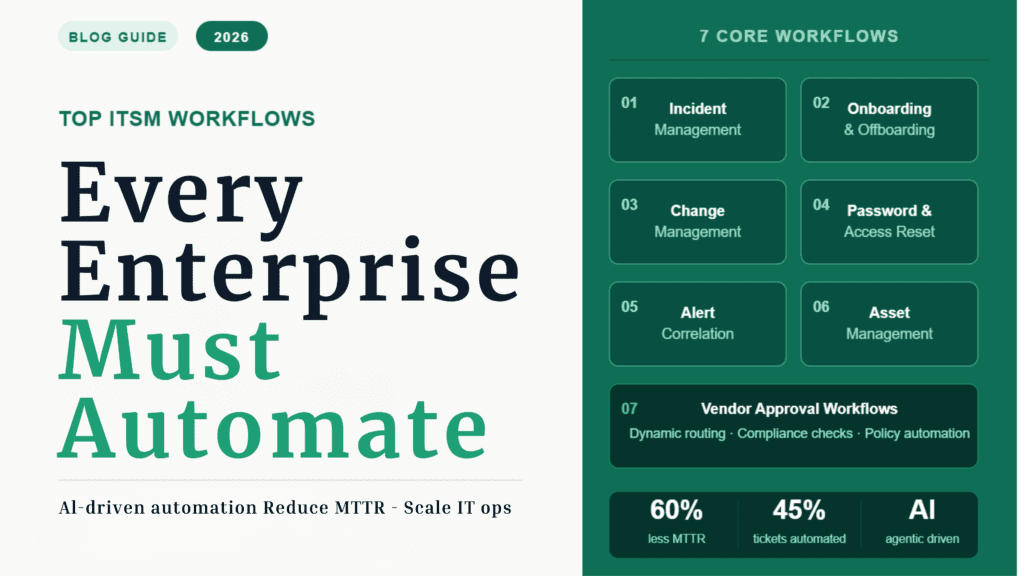
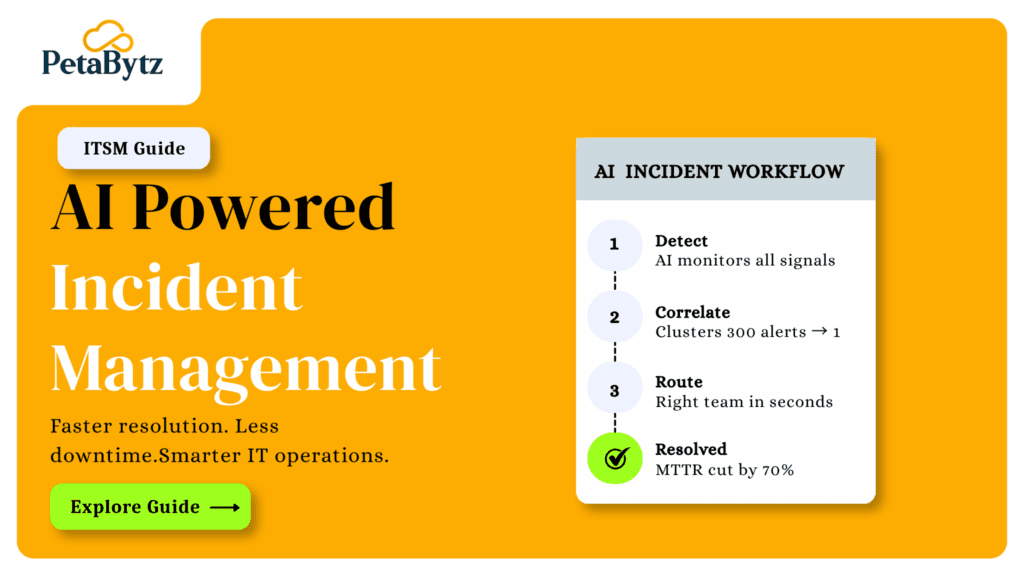
Workflow 1: Incident management automation
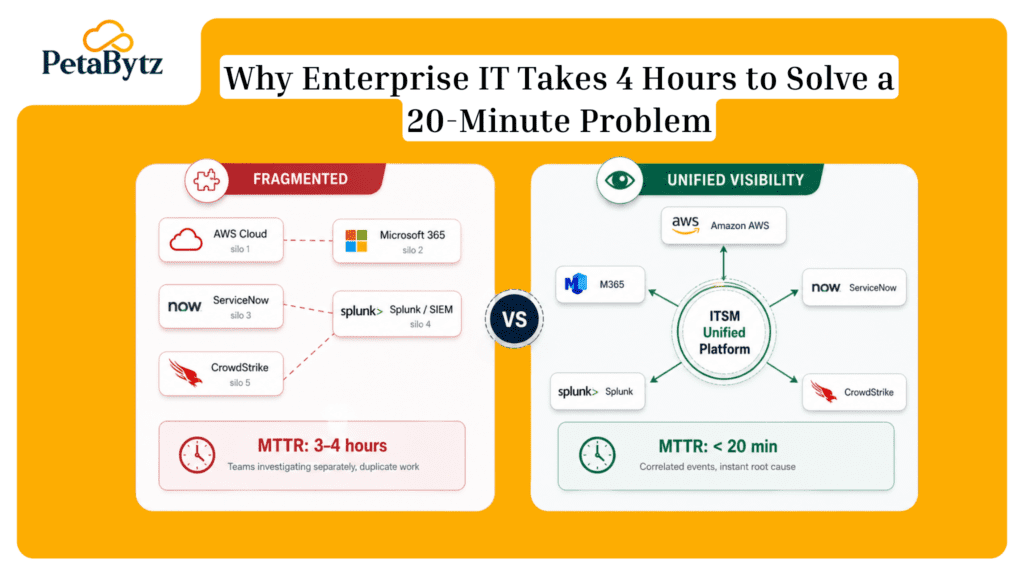
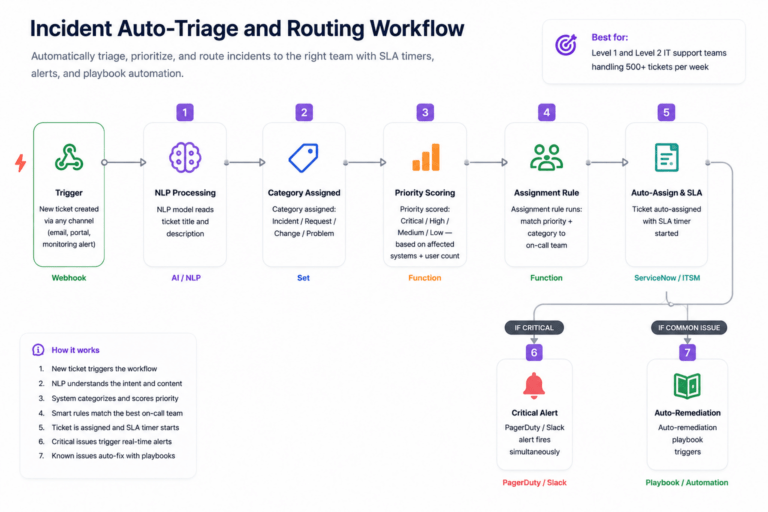
Manual incident triage is where time goes to die. An alert fires, a ticket opens, and then someone has to read it, decide what it means, and figure out who should own it. That process — multiplied by hundreds of tickets daily — kills MTTR.
The problem:
- Agents manually categorize every incoming ticket
- Priority levels are assigned by gut feeling, not data
- Routing to the wrong team wastes 20–40 minutes per ticket
The automation fix:
- AI reads incoming tickets and auto-categorizes by type, service, and severity
- Intelligent routing sends tickets to the right team in seconds
- Auto-remediation resolves common issues — password resets, service restarts — without human intervention
- Playbooks trigger automatically based on incident type
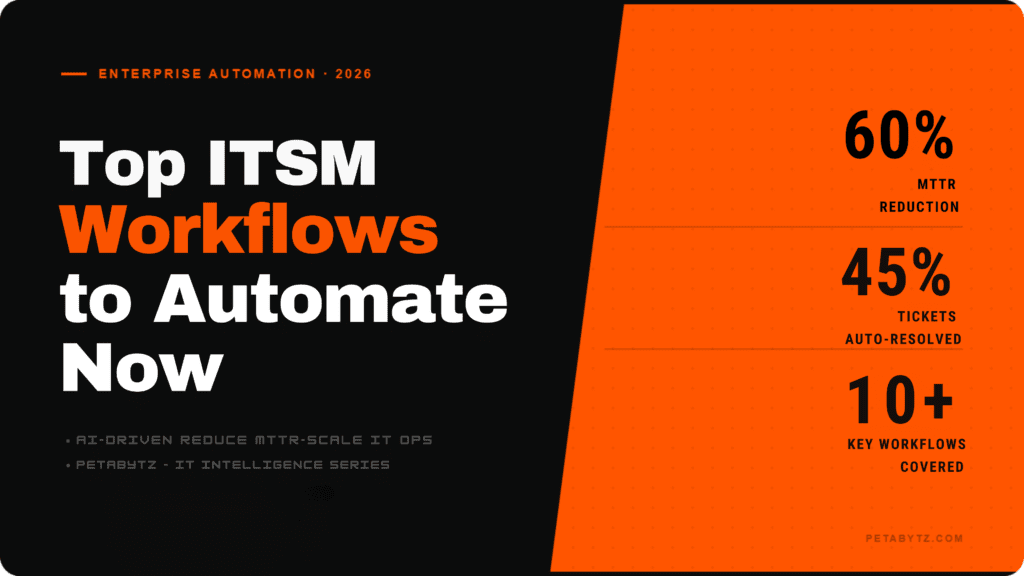
Business impact: Enterprises using incident management automation report 40–60% reduction in MTTR and significant improvement in first-contact resolution rates.
Incident management automation is the single highest-ROI ITSM workflow investment for most enterprises.
Workflow 2: Employee onboarding and offboarding automation
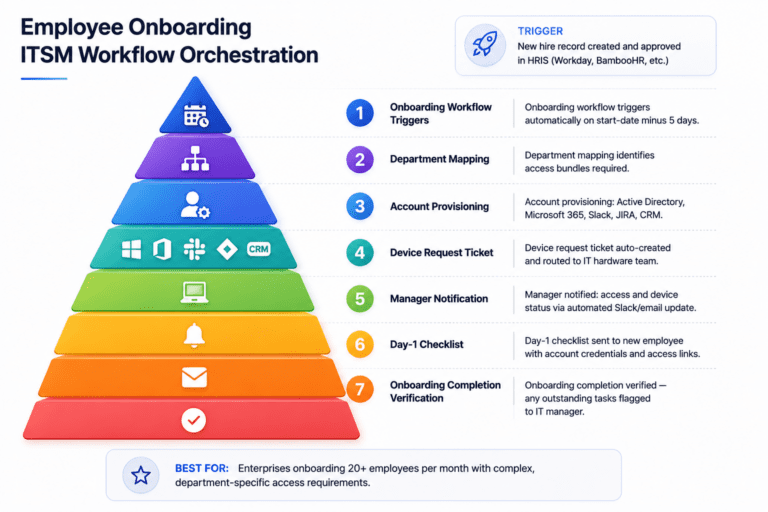
Every new hire needs 10–20 accounts provisioned, a device configured, and access permissions set across multiple systems. Manually, that process takes 3–5 days and involves HR, IT, and the hiring manager playing email tag.
The problem:
- New employees sit idle waiting for access — costing productivity from day one
- Security gaps emerge when offboarding is delayed or incomplete
- HR and IT operate in silos, creating handoff failures
The automation fix:
- Trigger-based onboarding launches automatically when HR completes hiring in the HRIS
- Department-specific access bundles provision the right tools instantly
- Device allocation workflows assign, configure, and ship equipment without manual steps
- Offboarding revokes all access across systems the moment an employee exits — no gaps
Business impact: Automated onboarding reduces provisioning time from days to hours. Automated offboarding eliminates 85% of orphaned account security risks.
This is one of the most impactful ITSM workflows to automate from both a security and employee experience perspective.
Workflow 3: Change management automation
Every deployment, configuration change, or infrastructure update carries risk. The problem? Manual change approval processes are slow — averaging 3–7 days per change request. By the time a change gets approved, the business context may have already shifted.
The problem:
- Approval chains involve 5–10 people with no clear ownership
- Risk assessment is subjective and inconsistent
- Change schedules conflict with peak business hours
The automation fix:
- AI scores every change request for risk — automatically — based on historical data
- Low-risk changes auto-approve; high-risk changes escalate to the right reviewers
- Approval chains route dynamically based on change type and impact scope
- Change scheduling automation avoids blackout windows and business-critical periods
Business impact: Automated change management reduces approval cycle time by up to 70% while improving change success rates through consistent risk scoring.
With AI-driven ITSM workflows, change management becomes a competitive advantage — not a bottleneck.
Workflow 4: Password reset and access request automation
This one surprises people: password resets and access requests account for 20–30% of all ITSM tickets globally. That’s thousands of hours per year spent on tasks that take 3 minutes each — and deliver zero strategic value.
The problem:
- High-volume, low-complexity requests consume senior IT bandwidth
- Employees wait hours or days for something they need immediately
- Manual verification opens security vulnerabilities
The automation fix:
- Self-service portals let employees reset passwords 24/7 without opening a ticket
- Identity verification runs automatically through MFA and directory sync
- Access provisioning triggers instantly upon request and manager approval
- Audit logs capture every action automatically — no manual record-keeping
Business impact: Automating password and access ITSM workflows saves 15–20% of total IT support bandwidth — bandwidth that can be redirected to strategic work.
If you’re only going to automate one ITSM workflow this quarter, start here. The ROI is immediate and measurable.
Workflow 5: Alert correlation and incident deduplication
A modern enterprise infrastructure fires thousands of alerts daily. Without automation, every alert becomes a ticket. Every ticket requires human triage. The result? Alert fatigue so severe that real incidents get missed.
The problem:
- One infrastructure failure can trigger 50–100 related alerts simultaneously
- IT ops teams spend 60% of their time filtering noise, not resolving issues
- Duplicate tickets overwhelm queues and obscure root causes
The automation fix:
- Alert correlation groups related signals into a single incident automatically
- Deduplication eliminates noise before a human ever sees a ticket
- Root-cause analysis surfaces the most likely origin of the issue — not just the symptoms
- Context-aware monitoring applies business-hour rules and service criticality weighting
Business impact: Alert correlation automation reduces ticket volume by 40–60%, enabling IT ops teams to focus on the incidents that actually matter.
This ITSM workflow is critical for enterprises running complex, multi-cloud, or hybrid environments.
Workflow 6: Asset management automation
You can’t manage what you can’t see. Inaccurate or outdated CMDB data leads to compliance failures, license overspend, and shadow IT. Manual asset tracking just doesn’t scale at enterprise level.
The problem:
- CMDB data becomes stale within weeks of a manual update
- License overprovisioning costs enterprises an average of 30% more than necessary
- Asset discovery gaps create compliance audit risks
The automation fix:
- Automated asset discovery scans and catalogs all endpoints continuously
- CMDB synchronization keeps configuration data accurate in real time
- License tracking flags underutilized tools for reclamation automatically
- Device lifecycle automation triggers replacement, refresh, or decommission workflows
Business impact: Enterprises that automate asset management report 25–35% reduction in IT spend through better license optimization and reduced audit risk.
Asset management automation strengthens every other ITSM workflow — because accurate data powers better decisions.
Workflow 7: Vendor approval and procurement workflows
Multi-department procurement approvals are a pain point at every enterprise. A software purchase might touch IT security, finance, legal, and the department head — each adding days to the cycle.
The problem:
- Approval routing is inconsistent — some requests skip steps, others get stuck in loops
- Compliance checks happen manually and inconsistently
- Procurement delays slow down business units waiting on critical tools
The automation fix:
- Dynamic approval routing sends requests to the right stakeholders automatically based on vendor type and spend threshold
- Procurement policy validation runs automatically at submission — before a human even reviews it
- Compliance checks against security and regulatory requirements trigger automatically
- SLA timers enforce approval deadlines and escalate overdue requests
Business impact: Automated vendor approval ITSM workflows reduce procurement cycle times by 50–65% and dramatically improve policy compliance rates.
How AI and agentic intelligence elevate ITSM workflows
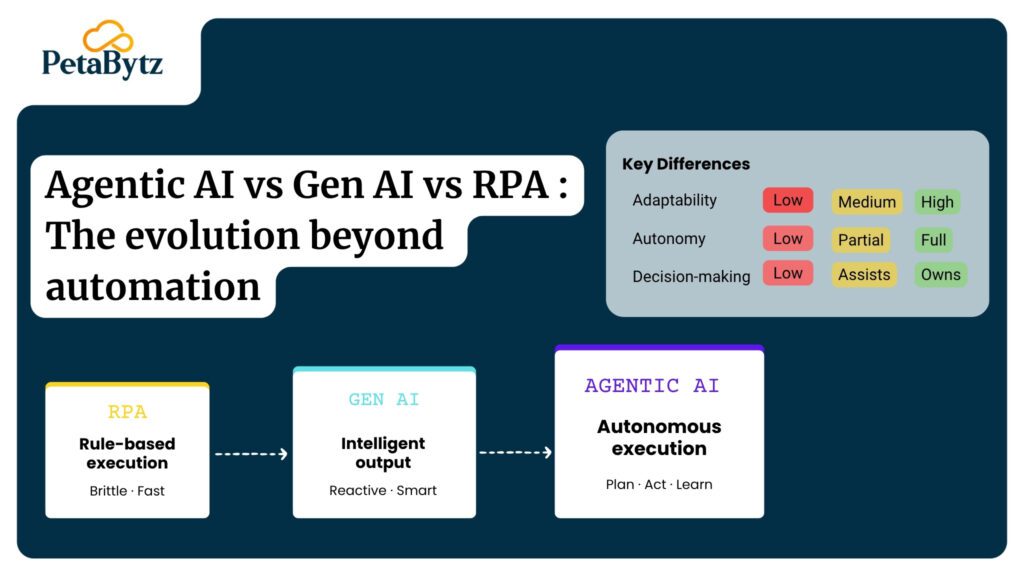
Traditional ITSM automation follows fixed rules. If X happens, do Y. That works for simple, predictable scenarios. But enterprise IT isn’t simple or predictable.
Modern AI-driven ITSM workflows operate differently. They adapt, learn, and make contextual decisions — not just execute scripts.
What AI-powered ITSM workflows can do:
- Predict incidents before they occur using historical pattern analysis
- Adapt workflow routing based on real-time context — not static rules
- Generate root-cause analysis automatically and recommend remediation steps
- Learn from resolution history to improve categorization accuracy over time
- Trigger autonomous actions — not just notifications — when anomalies are detected
What agentic AI adds:
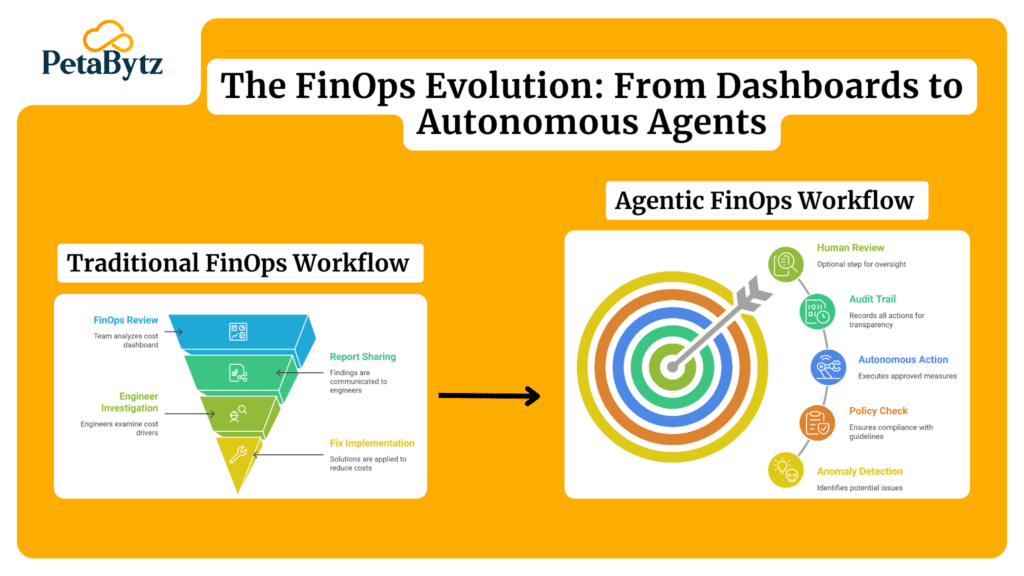
Agentic AI takes this further. Instead of waiting for a trigger, agentic systems proactively scan, evaluate, and act. An agentic ITSM workflow doesn’t wait for a ticket — it detects a degraded service, correlates related alerts, identifies the root cause, and initiates remediation. All before a human receives a notification.
This is the difference between reactive IT operations and predictive, self-healing infrastructure.
Enterprises adopting agentic AI in their ITSM workflows are reporting 50%+ reductions in major incident frequency and significantly faster time-to-resolution on the incidents that do occur.
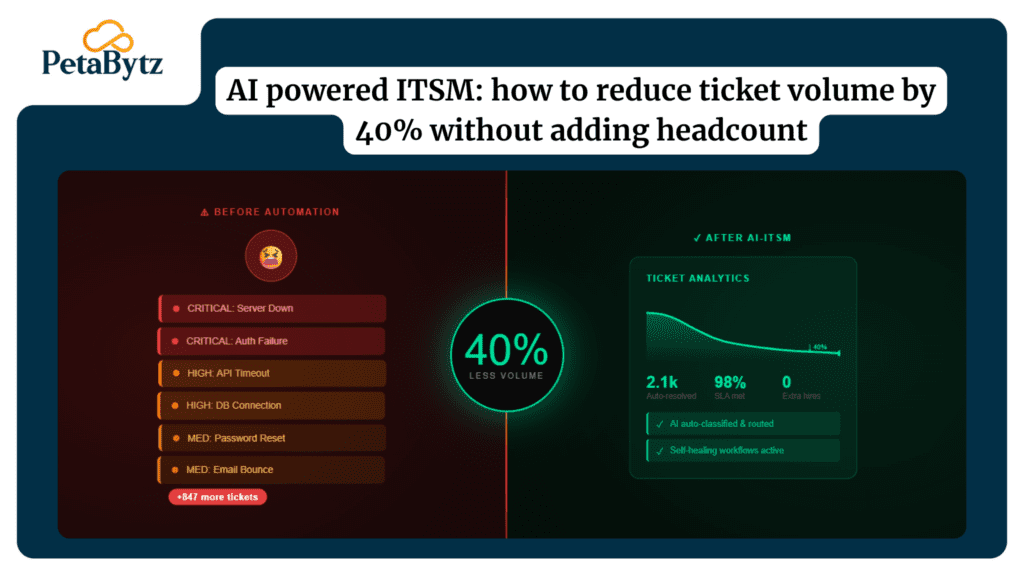
1: Incident auto-triage and routing
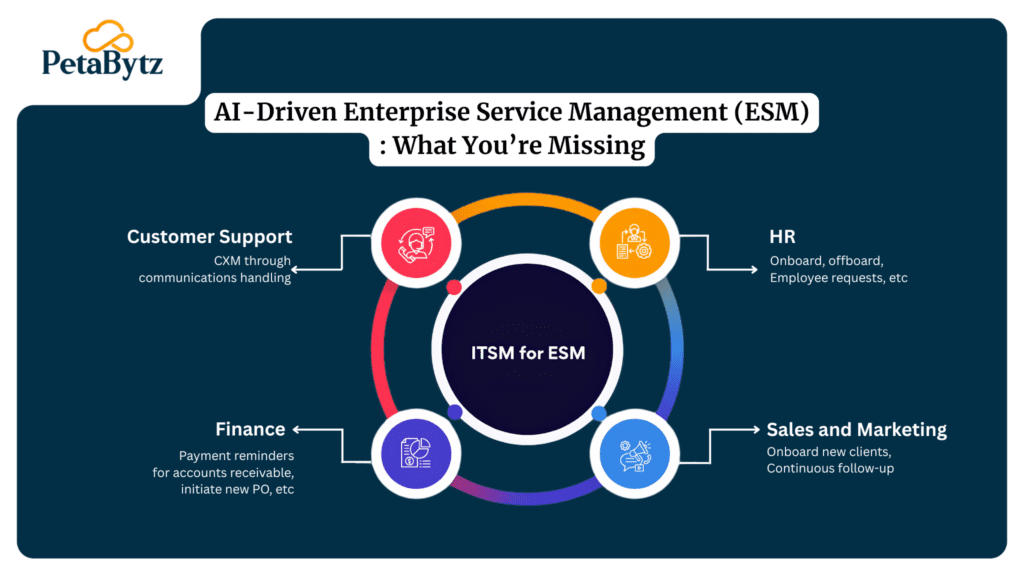
2: Employee onboarding ITSM workflow orchestration
Suggested Reading:
Microsoft E3 vs E5: Is the security upgrade worth the cost in 2025?Best practices to improve your ITSM workflows
- Start with your highest-volume workflows first. Password resets and incident triage generate the most tickets. Automate these before tackling more complex processes. Quick wins build momentum and prove ROI early.
- Map before you automate. Document every step of the manual workflow before building automation. Automating a broken process just makes it fail faster. Identify waste, redundancy, and approval bottlenecks first.
- Build in exception handling from day one. Every automated ITSM workflow needs a human escalation path. Define what triggers escalation, who receives it, and what SLA applies. Edge cases are inevitable — plan for them.
- Measure MTTR before and after. Establish a baseline before launching any automation. Track MTTR, SLA compliance rate, and ticket volume weekly. Without measurement, you can’t demonstrate value or optimize performance.
- Integrate your ITSM workflows with adjacent systems. The most powerful ITSM automation connects to your HRIS, monitoring tools, CMDB, identity providers, and communication platforms. Silos kill automation effectiveness.
- Review and optimize monthly. ITSM workflows evolve as your organization changes. Schedule monthly reviews to update routing rules, access policies, and escalation paths. Stale automation becomes a risk, not an asset.
How intelligent ITSM workflow automation can transform your IT operations
The gap between where most enterprise IT teams are and where they need to be is not a capability gap. It’s an automation gap.
Your IT team already knows which workflows are painful. They deal with them every day — the tickets that should never have needed human eyes, the approvals that take a week when they should take minutes, the onboarding delays that make new hires question their decision to join.
The right ITSM automation platform helps you:
- Deploy pre-built workflow templates for the most common ITSM use cases
- Connect existing tools — HRIS, monitoring, identity, communication — without ripping and replacing
- Apply AI-driven intelligence to categorize, route, and resolve tickets faster
- Build custom ITSM workflows for your specific business rules and compliance requirements
- Measure impact in real time with dashboards that track MTTR, SLA performance, and automation rate
Petabytz Technologies specializes in helping enterprises design and deploy adaptive, AI-driven ITSM workflows that reduce operational overhead, improve response times, and scale with your business. From incident management automation to full workflow orchestration, Petabytz brings the expertise and tooling to modernize your IT operations without disruption.
Conclusion
You don’t need to automate everything at once. Start with the ITSM workflows causing the most friction — the ones your team complains about every Monday morning.
The path forward is clear. Enterprises that automate their core ITSM workflows gain faster incident resolution, better SLA performance, lower support costs, and IT teams freed up to focus on work that actually moves the business forward.
Manual ITSM workflows are not a sustainable strategy for 2026. Intelligent automation is not a future-state initiative — it’s a present-day competitive requirement.
Start with one workflow. Prove the value. Scale from there.
Looking to modernize your ITSM operations with intelligent automation?
Petabytz Technologies helps enterprises build adaptive, AI-driven ITSM workflows that improve efficiency, reduce downtime, and scale IT operations faster. Talk to our team today.
Ready to move faster than your competitors? Talk to Petabytz today
Contact UsFrequently Asked Questions (FAQ’s)
1. Does Microsoft 365 Copilot have access to all my SharePoint files?
Microsoft 365 Copilot only surfaces files the current user already has permission to access. It does not bypass permissions — but it does surface every file the user can legally see, which is often far more than intended. Poor SharePoint governance means Copilot exposes data users should not have access to in the first place.
2. What is the m365 basic plan and does it include Copilot?
The m365 basic plan is Microsoft's entry-level Microsoft 365 subscription. It includes core apps like Outlook and OneDrive but does not include Microsoft 365 Copilot. Copilot requires a separate add-on license and is best combined with microsoft 365 business premium for access to the full compliance and governance toolset.
3. How does microsoft 365 pricing affect which governance tools I can use?
Microsoft 365 pricing tiers determine which compliance and governance features are available. Microsoft Purview — the tool used to label sensitive data and restrict Copilot access — is included in microsoft 365 business premium and Enterprise E3/E5 plans. Organizations on lower tiers may need to upgrade to access the full governance toolkit before enabling Copilot.
Q4: Which ente4. How long does it take to fix SharePoint permissions before enabling Microsoft 365 Copilot?rprise workflows benefit most from AI automation?
For a mid-sized organization with 500 to 2,000 users, a focused permissions cleanup typically takes 2 to 6 weeks. This includes auditing site access, removing stale permissions, classifying sensitive data, and validating the cleanup with a pilot group. Rushing this phase increases data exposure risk significantly.
Recent Posts