INDIA
INDIA
 USA
USA CANADA
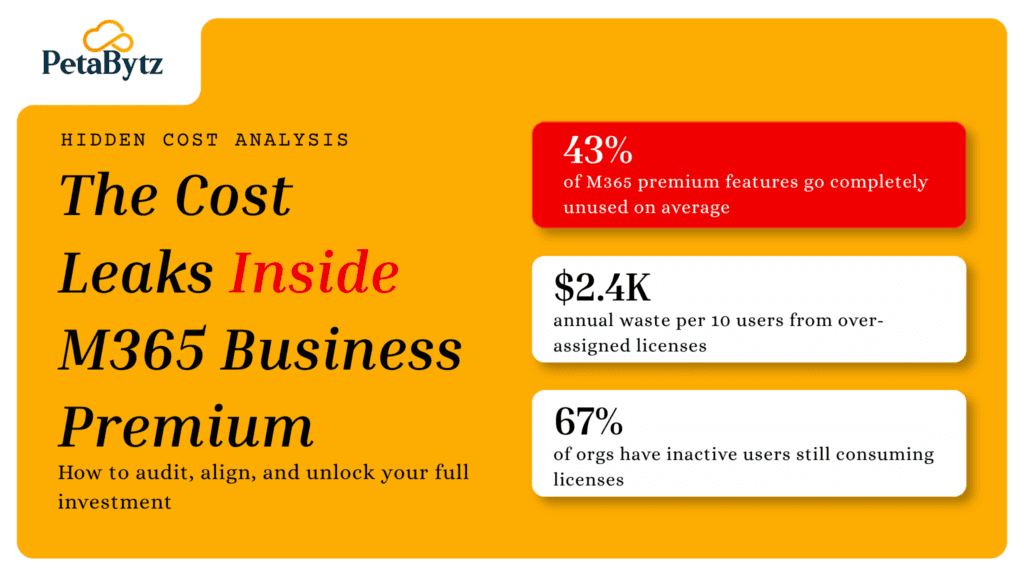
The hidden cost leaks draining your M365 Business Premium budget (and how to fix them)
04/05/2026
You signed up for M365 Business Premium. You paid the premium price. And yet, at the end of every quarter, IT cannot explain exactly what the organization is getting for it.
Sound familiar? You are not alone.
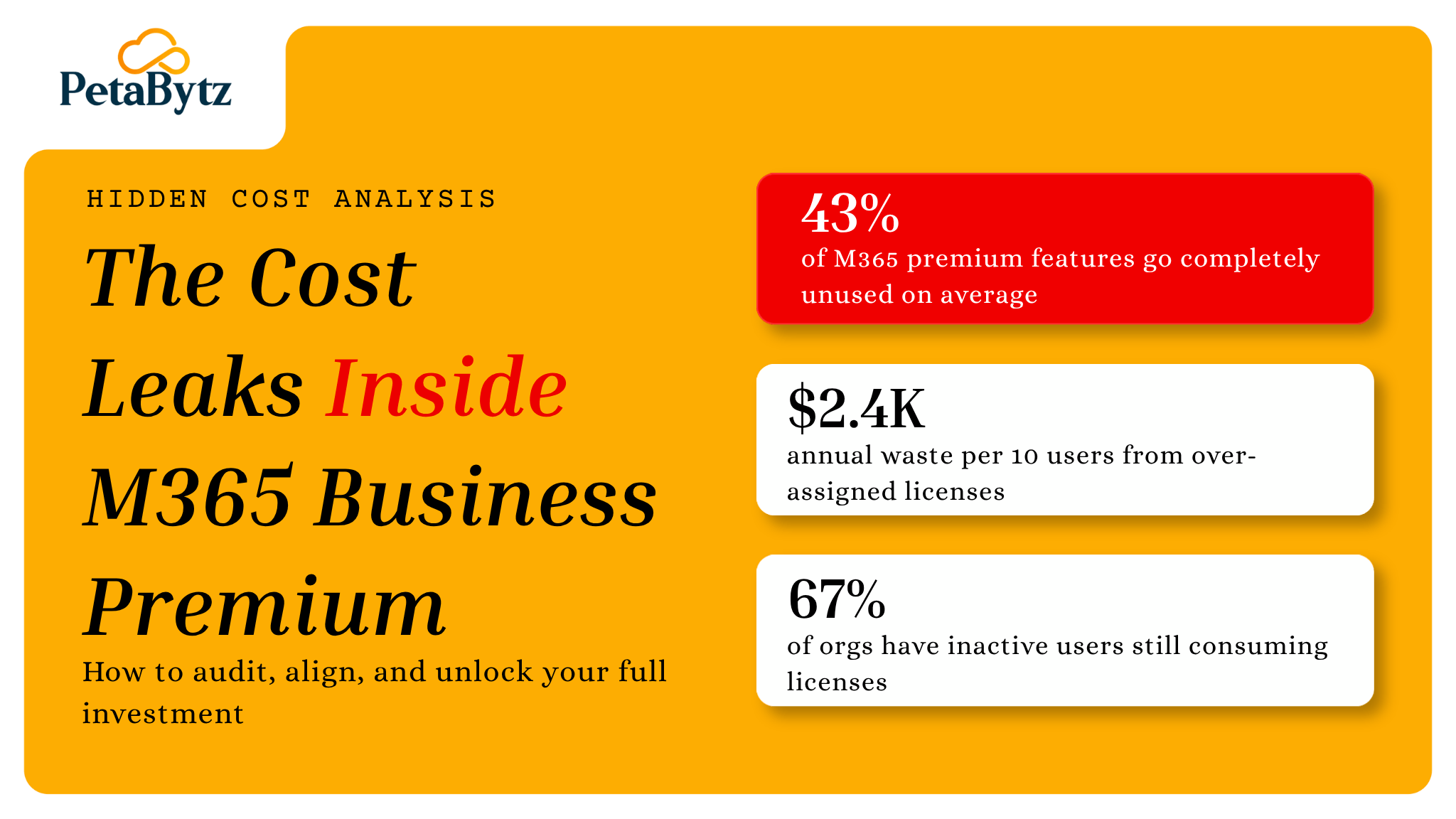
Most businesses running M365 Business Premium are quietly bleeding budget. Not because the plan is bad. Because nobody is watching how licenses are assigned, which features are actually used, and who stopped using the platform two months ago but is still on the payroll.
The good news? These are fixable problems. And fixing them does not require a new vendor or a platform switch.
In this guide, you will learn:
- Where M365 Business Premium budgets silently leak
- Why over-assigned licenses are more common than you think
- Which premium features most businesses are paying for but never using
- Exactly how to fix each leak — with specific steps and admin center actions
- Ready-to-use templates and best practices to stop the leaks for good
Contact us now
The Hidden Cost Leaks Draining Your M365 Business Premium Budget
Why M365 Business Premium costs spiral out of control
M365 Business Premium is priced per user per month. That sounds straightforward. But in practice, most organizations add licenses faster than they remove them.
When someone joins, they get a license. When someone leaves, that license often stays active for weeks. When a team grows, everyone gets the same plan regardless of what they actually need.
Over time, you end up with a pool of M365 Business Premium seats that is bloated, misaligned, and expensive. The Microsoft 365 admin center does show usage data. But most IT teams are too busy firefighting to run regular audits. That gap between assigned and active licenses is where the money quietly disappears.
The six most common M365 Business Premium cost leaks
1. Licenses for inactive users
Former employees. Contractors who finished their engagement. Seasonal workers who are now off the books. All of them may still have active M365 Business Premium licenses assigned to their accounts.
Microsoft does not auto-remove licenses when someone is offboarded from HR systems. That is a manual step. And it gets missed constantly.
2. Over-provisioning when a lighter plan would work
M365 Business Premium is the top-tier SMB plan. It includes Intune, Defender for Business, Azure AD Premium P1, and more. But not every user needs all of that.
A part-time admin who only uses email and Teams does not need the same plan as your IT security lead. When reviewing office 365 business plans, Microsoft 365 Business Basic can handle light users at a fraction of the cost.
3. Premium security features sitting unused
M365 Business Premium includes Microsoft Defender for Business, Intune device management, and Azure AD Conditional Access. These are powerful tools that most organizations have never fully configured.
Most businesses activate maybe 30% of these features. The rest sit untouched. You are paying for a full security stack and running it like a basic office 365 business premium email package.
4. Duplicate tools from third-party apps
Your M365 Business Premium plan already includes Teams, SharePoint, OneDrive, and Planner. But how many separate subscriptions does your company still have for Zoom, Dropbox, Slack, or Trello?
Every overlapping tool is a cost that M365 Business Premium was designed to eliminate. But only if someone makes the deliberate decision to consolidate.
5. No lifecycle management for shared or guest accounts
Guest access, shared mailboxes, and resource accounts are often created on an as-needed basis and then forgotten. These accumulate quickly. Poorly managed shared accounts can consume M365 Business Premium licenses unnecessarily or create compliance gaps your next audit will flag.
6. No strategic comparison of Office 365 E3 vs Business Premium
As organizations grow, some users reach a point where Office 365 E3 would serve them better. E3 offers unlimited archive, advanced eDiscovery, and stronger compliance tooling for regulated industries.
Never doing a Microsoft 365 Business Premium vs E3 comparison means you might be on the wrong plan entirely. M365 Business Premium is capped at 300 users. If you are approaching that ceiling, the time to plan is now.
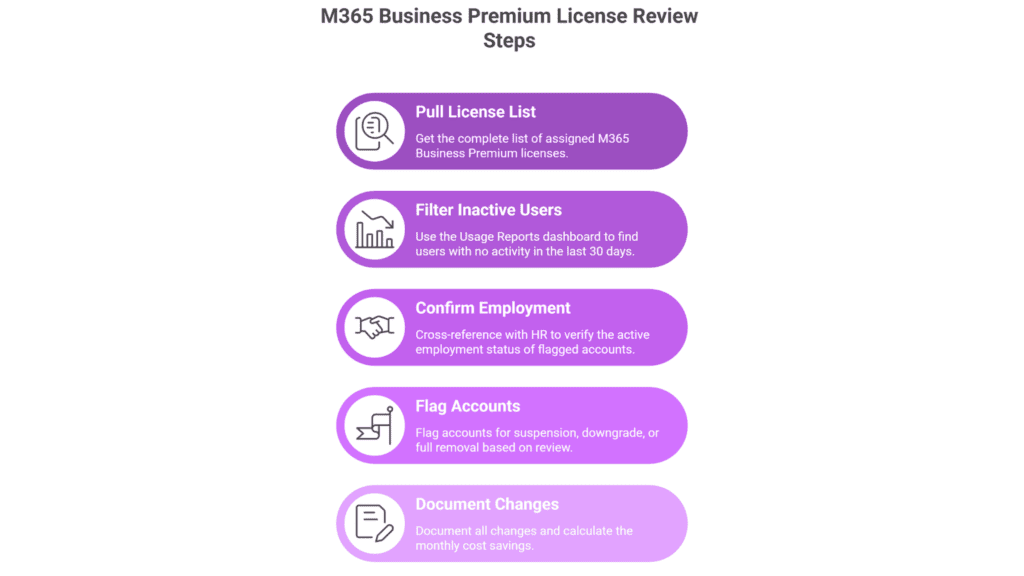
License utilization audit checklist
Subject: M365 Business Premium license review — action required
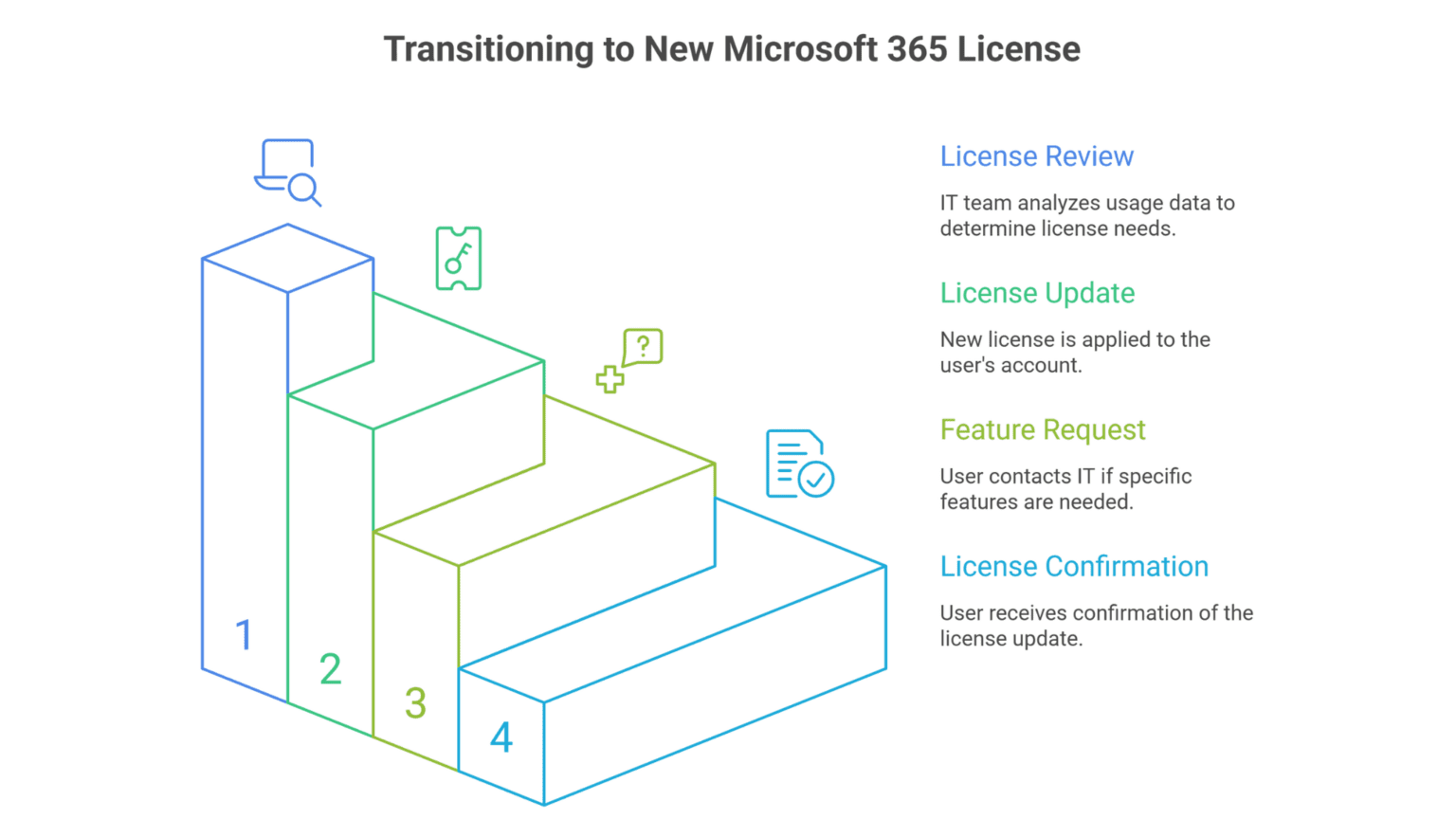
User communication for license changes
How to fix each M365 Business Premium cost leak – step by step
Identifying the leaks is the easy part. Here is exactly what to do about each one. These are not vague recommendations. These are specific actions you can take inside the Microsoft 365 admin center this week.
Fix 1: Recover licenses from inactive users
Where to start: Microsoft 365 admin center > Reports > Usage > Microsoft 365 usage summary.
Pull the activity report and filter for users with no sign-in or app activity in the last 30 days. Export the list. Cross-check it with your HR system to separate genuinely inactive accounts from users on leave.
For confirmed leavers, do three things in this order:
- Block sign-in immediately in Azure Active Directory under Users > [User] > Edit > Block sign in.
- Remove the M365 Business Premium license from their account under Admin center > Users > Active users > Licenses.
- Convert the mailbox to a shared mailbox so historical emails are preserved without consuming a paid license.
Long-term fix: Connect your HR platform to Azure AD using Microsoft Entra ID Governance’s Lifecycle Workflows feature. This automates the entire offboarding sequence the moment an employee is marked inactive in HR — no manual steps required.
Fix 2: Right-size licenses by mapping plans to actual roles
Where to start: Microsoft 365 admin center > Reports > Usage > App usage by user.
Filter this report by users who only show activity in Exchange and Teams — and nothing else. No Intune activity, no Defender alerts, no SharePoint usage. These users do not need M365 Business Premium.
Build a simple three-tier license matrix for your organization:
- M365 Business Premium: IT admins, managers with device oversight, security-sensitive roles, anyone using Intune or Defender actively.
- Microsoft 365 Business Standard: Knowledge workers who collaborate in Teams, use Office apps, and access SharePoint — but do not need advanced security tooling.
- Microsoft 365 Business Basic: Light users — receptionists, part-time staff, external contractors who only need email and Teams access.
Reassigning 20 users from M365 Business Premium to Business Basic saves roughly $240 per month at current pricing. That compounds fast across a year.
Fix 3: Actually deploy the security features you are already paying for
Where to start: Microsoft 365 Defender portal (security.microsoft.com) and Microsoft Intune admin center (intune.microsoft.com).
If these features are sitting idle in your M365 Business Premium tenant, activate them in this order of priority:
- Enable Microsoft Defender for Business: Go to security.microsoft.com > Settings > Endpoints > Onboarding. Run the automated onboarding wizard. It takes under 30 minutes and immediately starts detecting threats across enrolled devices.
- Turn on Conditional Access: In Azure Active Directory > Security > Conditional Access, start with the Microsoft-recommended baseline policies — block legacy authentication, require MFA for admins, and require MFA for Azure management. These three policies alone close the majority of credential-based attack vectors.
- Enroll devices in Intune: Go to intune.microsoft.com > Devices > Enroll devices. Use the Windows Autopilot flow for new machines or the enrollment policy push for existing corporate devices. Once enrolled, you can enforce encryption, app policies, and remote wipe — features included in every M365 Business Premium license.
- Enable Microsoft Defender for Office 365 (Plan 1): Go to security.microsoft.com > Email and collaboration > Policies and rules > Threat policies. Enable Safe Attachments and Safe Links for all users. This protects against phishing and malicious attachments — and it is already included in your plan.
Activating these features does not just improve security. It justifies the M365 Business Premium cost you are already paying and reduces the argument for additional third-party security tools.
Fix 4: Eliminate third-party tool overlap through a consolidation audit
Where to start: Your accounts payable or SaaS spend management tool.
Pull a list of every active SaaS subscription your company is paying for. Then map each tool directly to what M365 Business Premium already covers:
- Zoom or Webex: Replace with Microsoft Teams. Teams supports up to 1,000 participants in meetings and 10,000 in live events under M365 Business Premium.
- Dropbox or Box: Replace with OneDrive for Business and SharePoint. Both are fully included and integrate natively with Office apps.
- Slack: Replace with Microsoft Teams channels. Teams supports persistent channels, threaded conversations, and app integrations in the same way.
- Trello or Asana (for simple task tracking): Replace with Microsoft Planner, which is included in every M365 Business Premium license.
- LastPass or 1Password (basic use cases): Azure AD’s self-service password reset and single sign-on, both included in M365 Business Premium via Azure AD Premium P1, can eliminate the need for a standalone password manager for most users.
Not every third-party tool can or should be replaced. But every tool that can be replaced is money recovered from a subscription you are already paying for inside M365 Business Premium.
Fix 5: Clean up shared mailboxes, guest accounts, and resource accounts
Where to start: Microsoft 365 admin center > Users > Guest users and Admin center > Groups > Shared mailboxes.
Run an export of all guest users from your Azure Active Directory. For each guest account, confirm:
- Is this person still actively working with your organization?
- When did they last sign in or access a shared resource?
- Is there a business owner who can confirm this access is still required?
Use Azure AD Access Reviews (included in M365 Business Premium via Azure AD Premium P1) to automate this process. Set up a quarterly access review that automatically emails business owners asking them to confirm or revoke guest access. Any account with no response gets revoked automatically after the review period.
For shared mailboxes, confirm that none are being used as full user accounts. A shared mailbox does not require an M365 Business Premium license unless the user needs to access it via Outlook on a mobile device with Intune policies applied.
Best practices to optimize your M365 Business Premium investment
- Run a quarterly license audit — not an annual one
Annual audits catch problems too late. Quarterly reviews let you catch inactive users within 90 days, dramatically reducing waste. Build it into your IT calendar like a recurring meeting — not a one-off project.
- Match licenses to roles, not departments
Not everyone in sales, HR, or operations needs M365 Business Premium. Define license tiers based on what each role actually does day to day. Device management and security oversight justify Business Premium. Email-only users do not.
- Actually activate the security stack you are paying for
If you have M365 Business Premium and have not deployed Intune or enabled Defender for Business, you are essentially running a basic office 365 business premium setup at a higher price. The security features are not optional extras. They are the core reason business premium exists.
- Automate offboarding to include license removal
Connect your HR system to your Microsoft 365 tenant. When a user is marked inactive in HR, a workflow should automatically trigger account suspension and license reassignment. This single change can recover thousands in unnecessary M365 Business Premium spend every year.
- Run a Microsoft 365 Business Premium vs E3 comparison before you hit 300 users
If your organization handles regulated data or is approaching the 300-user cap, a Microsoft 365 Business Premium vs E3 comparison is not optional — it is overdue. Office 365 E3 offers different compliance tooling and unlimited archiving that Business Premium does not include.
- Use Microsoft 365 usage analytics to drive decisions
The admin center has usage reports that show exactly which apps are being used, by whom, and how often. Most IT teams generate the report. Few actually act on it. Make this data the foundation of every M365 Business Premium license decision you make.
How the right M365 Business Premium partner helps you fix this faster
Here is the honest reality. Running these audits, building automated workflows, mapping licenses to roles, and keeping pace with Microsoft licensing changes is a full-time job. Most IT teams do not have that bandwidth.
That is why organizations work with licensing specialists who live inside these platforms every day. A good M365 Business Premium partner does not just assign licenses. They analyze your usage data, flag mismatches across your office 365 business plans, and recommend adjustments before the next billing cycle hits.
When Petabytz works with clients on M365 Business Premium optimization, the starting point is always the same: a structured audit that surfaces exactly what you are paying for versus what you are actually using. From there, the roadmap to cost efficiency becomes surprisingly clear.
Whether you are evaluating a fresh M365 Business Premium deployment, working through a Microsoft 365 Business Premium vs E3 decision, or simply trying to recover wasted spend — having expert oversight on your licensing setup changes the outcome entirely.
Conclusion
You do not need to overhaul your entire IT strategy to fix M365 Business Premium overspend.
You need visibility. You need a quarterly habit. And you need someone who understands the difference between what M365 Business Premium can do and what your organization is actually using right now.
The cost leaks in M365 Business Premium are not mysterious. They are predictable, fixable, and entirely avoidable once you know where to look. Start with the admin center steps in this guide. Build the quarterly review into your calendar. And if the complexity is bigger than your team can handle alone, bring in a partner who has done this hundreds of times.
The money is already in your budget. You just need to stop it from leaking.
Ready to find out exactly how much your organization is overspending on M365 Business Premium? Talk to the team at Petabytz. We will show you the numbers.
Frequently Asked Questions (FAQ’s)
What is the difference between M365 Business Premium and Office 365 Business Premium?
M365 Business Premium includes everything in Office 365 Business Premium plus advanced security — Microsoft Defender for Business, Intune device management, and Azure AD Premium P1. If you are only using email and Office apps, you are likely paying for security features that have never been switched on.
How do I know if my organization is overpaying for M365 Business Premium licenses?
Go to the Microsoft 365 admin center and pull Usage Reports for the last 30 days. Any user with zero activity across Teams, Exchange, and SharePoint is a candidate for license review. That is your fastest and most reliable starting point before making any changes.
How is agentic AI different from regular workflow automation software?
Traditional workflow automation software follows fixed rules — if X then Y. Agentic AI workflows are goal-driven and adaptive. The agent decides how to reach the objective, using tools, retrying on failure, and escalating when needed. It can handle variability that rule-based automation breaks on.
Can small teams without ML expertise deploy agentic AI frameworks?
Yes. Modern agentic AI frameworks are designed for engineering teams, not ML researchers. You need solid software development fundamentals, API integration experience, and a clear understanding of your workflow. Many teams deploy their first agentic AI workflow with 2–3 engineers and no dedicated data science resources.
Recent Posts