INDIA
INDIA
 USA
USA CANADA
Microsoft E3 vs E5: Is the security upgrade worth the cost in 2025?
13/05/2026
Your team got hit by a phishing attack last quarter. IT scrambled. Leadership demanded answers. And somewhere in that chaos, someone asked: “Are we on the right Microsoft license?”
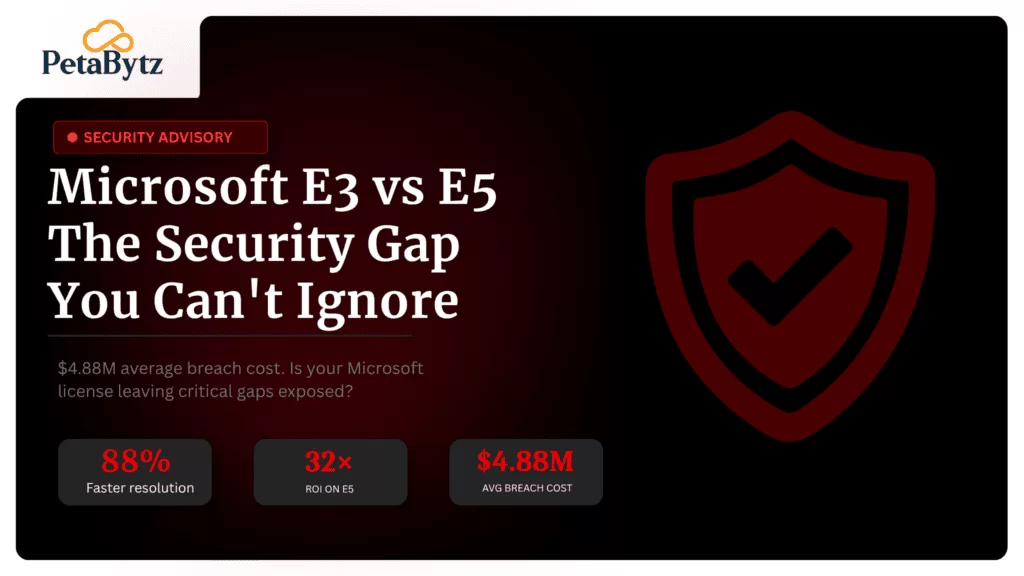
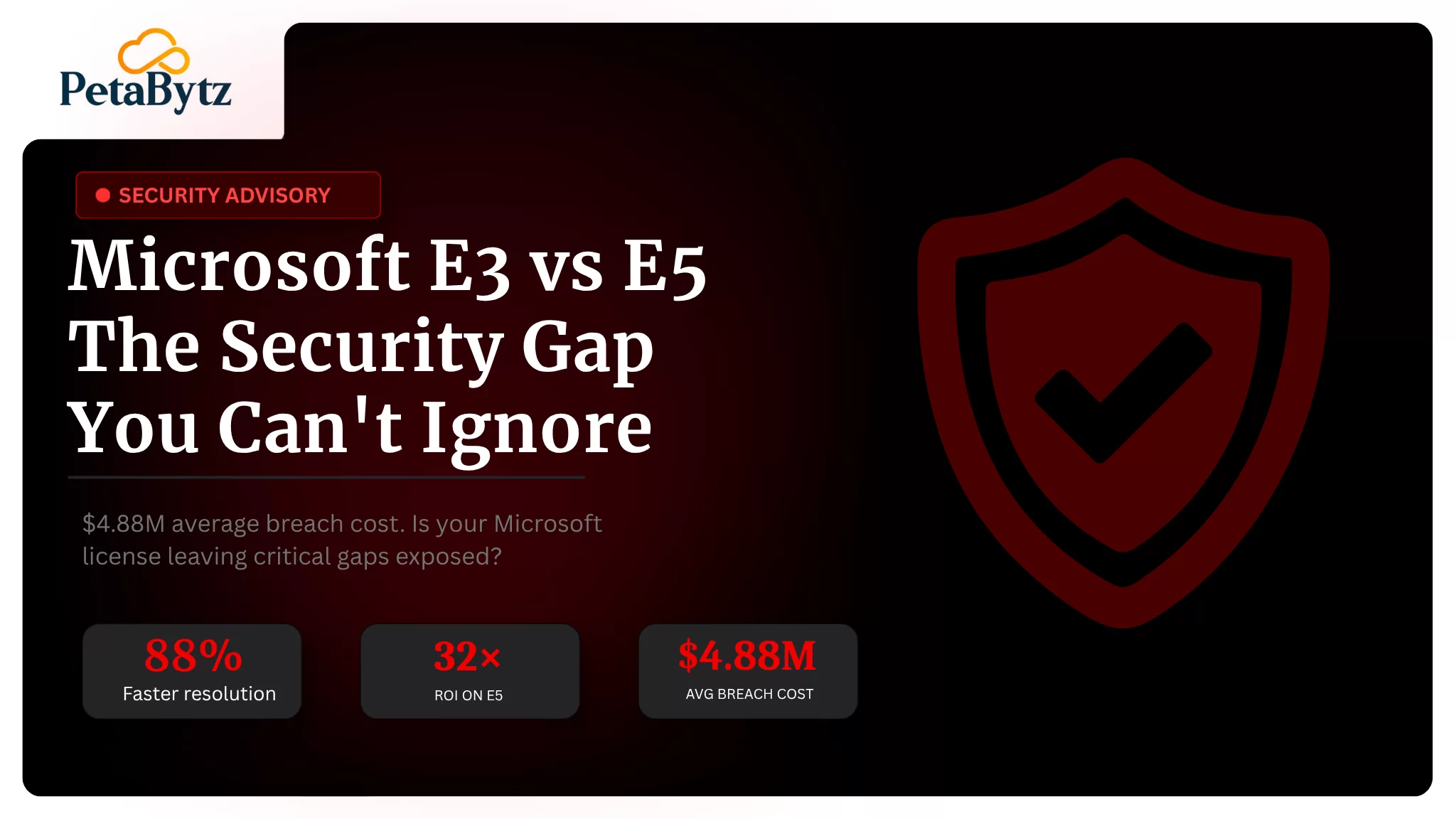
That question matters more than most people realise. According to IBM’s 2024 Cost of a Data Breach Report, the average breach now costs $4.88 million globally. Yet most mid-market organisations are sitting on Microsoft 365 E3, unaware of the critical security gaps it leaves open.
The microsoft e3 vs e5 debate is no longer just a licensing conversation. It is a security strategy decision.
In this guide, you will learn:
- What separates microsoft e3 vs e5 at a feature level
- The hidden security risks of staying on E3
- How to build a business case for upgrading to E5
- Who actually needs E5 and who can hold off
- A practical upgrade path you can start this week
Contact us now
Microsoft E3vsE5: Is the Security Upgrade Worth it?
Quick licensing overview: what are E3 and E5?
Microsoft 365 E3 is the workhorse licence. It covers Office apps, Teams, SharePoint, Exchange, and basic security features. Most organisations land here because it checks the productivity boxes at a reasonable price.
Microsoft 365 E5 layers advanced security, compliance, and analytics on top of everything in E3. The price difference is roughly $57 per user per month vs $38 — a gap of about $19 per user monthly.
Key add-on options if full E5 feels too steep:
- E5 Security add-on: Brings Defender XDR, Entra ID P2, and Defender for Cloud Apps
- E5 Compliance add-on: Brings Purview, eDiscovery Premium, Insider Risk Management
- You do not have to buy everything at once
Microsoft E3 vs E5: head-to-head security comparison
The e3 vs e5 license gap shows up most clearly in seven security domains. Here is what changes and why each one matters:
Identity protection
E3 gives you basic MFA and Conditional Access. That is a solid starting point, but it offers no risk-based detection.
- E3: Standard MFA, basic Conditional Access policies
- E5: Entra ID P2 with risk-based Conditional Access, Privileged Identity Management (PIM)
- E5: Identity Protection detects anomalous sign-in behaviour automatically
In 2024, 74% of breaches involved compromised credentials (Verizon DBIR). Risk-based identity controls are not optional anymore.
Threat protection
This is where the difference between e3 and e5 licenses becomes most dramatic for security teams.
- E3: Defender for Office 365 Plan 1 — basic anti-phishing and anti-malware
- E5: Defender XDR + Defender for Office 365 Plan 2 — full attack simulation, threat hunting, automated investigation
- E5: Automated attack disruption can contain threats in minutes, not hours
Cloud app security (CASB)
Shadow IT is one of the fastest-growing attack surfaces. Employees use dozens of unsanctioned apps. E3 has almost no visibility there.
- E3: Limited cloud app visibility
- E5: Full Defender for Cloud Apps (CASB) — monitors 26,000+ cloud apps, detects data exfiltration in real time
Information protection
Both tiers include sensitivity labels, but E5 extends them across every workload.
- E3: Basic sensitivity labels in Office apps
- E5: Purview MIP with DLP across Teams, SharePoint, Exchange, and endpoints
- E5: Automatic data classification powered by machine learning
Compliance and eDiscovery
If your organisation faces regulatory scrutiny or litigation, audit retention gaps are not just inconvenient — they are liability.
- E3: Core eDiscovery, 90-day audit log retention
- E5: eDiscovery Premium, 1-year audit log retention (extendable to 10 years)
- E5: Audit Premium captures more activity types with forensic-grade detail
SIEM, insider risk, and communication compliance
These three capabilities do not exist in E3 at all. They are purely E5 territory.
- Microsoft Sentinel (SIEM/SOAR): Available as an add-on with E5; unified threat intelligence across your entire estate
- Insider Risk Management: Detects data theft, policy violations, and disgruntled user behaviour
- Communication Compliance: Flags policy-violating communications across Teams and email
The hidden risk of staying on E3
Most organisations on E3 feel reasonably secure. They have MFA. They have some filtering. But in the microsoft e3 vs e5 comparison, the real cost is not what E3 charges you — it is what it cannot see.
- No behavioural analytics: Insider threats and compromised accounts operate invisibly for weeks or months
- No advanced hunting: Your SOC is always one step behind attackers
- 90-day audit cap: Critical forensic evidence disappears before investigations even begin
- Manual investigation: Every alert requires human intervention — and your team is already stretched
Microsoft’s own data shows organisations using Defender XDR (E5) resolve incidents 88% faster than those relying on standalone tools. The e3 vs e5 gap is not just features. It is response time. And response time is money.
ROI and the business case for microsoft E5
Here is how to frame the microsoft e3 vs e5 cost conversation with your CFO:
Cost of a breach vs. cost of E5
For a 300-person company, upgrading from E3 to E5 costs roughly INR 45 lakhs per year (approximately $57,000 USD). A single ransomware incident averages $1.85 million in recovery costs globally (Sophos 2024).
That is a 32x gap. E5 is not a cost — it is cyber insurance with features.
Compliance penalty mitigation
India’s DPDP Act carries penalties up to INR 250 crore per violation. ISO 27001 and SOC 2 auditors increasingly expect the controls that come standard with E5.
- E5 Purview automates data classification and audit trails required for compliance
- Insider Risk Management satisfies regulatory requirements around employee monitoring
- eDiscovery Premium reduces legal discovery costs by up to 40% (Forrester TEI study)
Tool consolidation savings
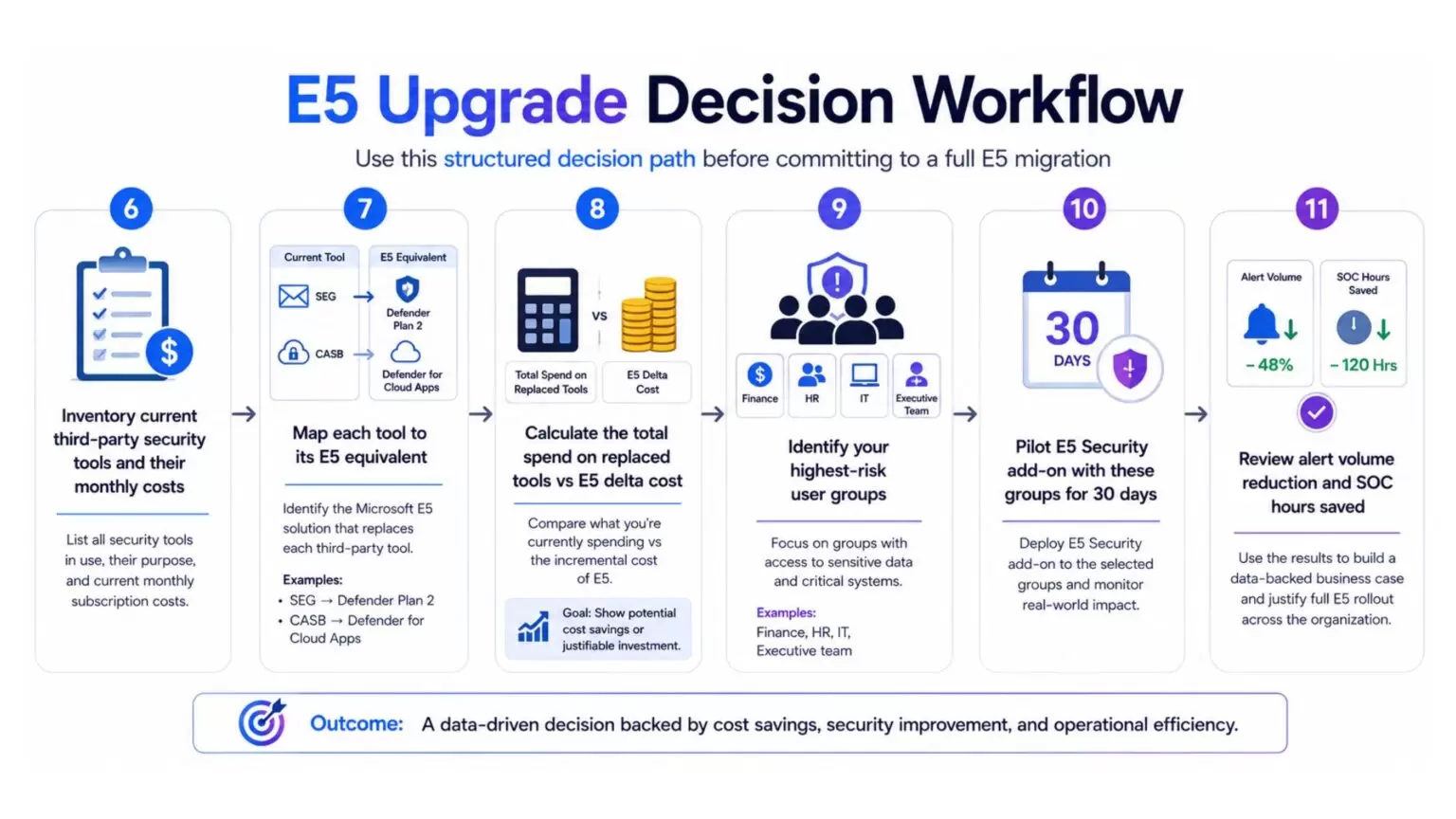
Many E3 customers are already paying for tools that E5 replaces. Add up your current spend:
- Third-party Secure Email Gateway (SEG): $8–12 per user/month
- CASB solution: $6–10 per user/month
- SIEM platform: $10–20 per user/month
In many cases, the $19 upgrade delta pays for itself purely through tool consolidation — before you count breach prevention.
Who should upgrade to E5? a qualification checklist
The e5 vs e3 decision is not one-size-fits-all. But these signals make a strong case for upgrading:
- You have 200+ users regularly handling sensitive customer or financial data
- You operate in BFSI, Healthcare, Legal, or Government contracting — sectors with active compliance mandates
- You are already paying for SEG, CASB, or SIEM tools separately
- Your SOC team is spending more than 30% of its time on manual alert triage
- You have faced a phishing incident, BEC attempt, or ransomware event in the last 24 months
- You are pursuing ISO 27001, SOC 2, or DPDP compliance this year
If three or more of these apply, the microsoft e3 vs e5 question has already answered itself.
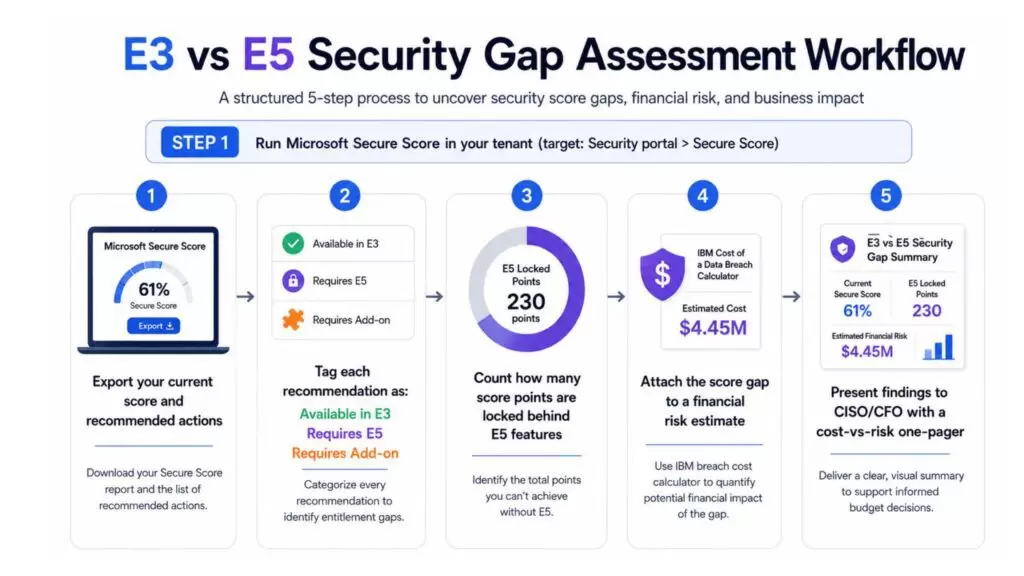
Microsoft E3 vs E5 assessment
1: E3 vs E5 security gap assessment workflow
2: E5 upgrade decision workflow
Suggested Reading:
Microsoft 365 Business Basic Security: The Complete 2026 Protection GuideBest practices to improve your microsoft E3 vs E5 decision process
- Start with your Secure Score, not the feature list
Microsoft Secure Score shows exactly which E5 features would move your needle. It turns an abstract licensing question into a concrete improvement plan.
- Pilot add-ons before full E5 commitment
Start with E5 Security or E5 Compliance as standalone add-ons. At around $12–15 per user, you get most of the high-value security features without the full E5 price tag.
- Target your highest-risk users first
Finance, HR, IT admins, and the executive team handle the most sensitive data. Roll out E5 licences to these groups first. You get disproportionate protection for relatively low cost.
- Enable automated attack disruption from day one
Defender XDR’s automated disruption is turned off by default. Enable it in your Defender portal immediately after upgrading. This alone can prevent lateral movement during active attacks.
- Do not skip the communication compliance configuration
Communication Compliance in E5 requires policy setup to function. Work with your legal team to define what needs monitoring. This is especially critical for BFSI and listed companies.
- Review the microsoft e3 vs e5 decision annually
Microsoft adds features to both tiers every quarter. What E3 offers in 2025 is better than what it offered in 2022. Schedule an annual licence review so your decision is always based on current capabilities.
How agentic AI services can help you unlock the value of microsoft E5
Upgrading your licence is step one. But E5 only pays off when it is properly configured, monitored, and integrated with your broader security posture.
That is where most organisations stall. They have the features. They do not have the workflows.
- Agentic AI services can automate alert triage across Defender XDR, reducing your SOC’s manual workload by 60–70%
- AI-driven workflows can correlate insider risk signals with communication compliance flags — catching threats that no single tool would surface alone
- Automated compliance reporting across Purview and Sentinel dramatically reduces audit preparation time
Petabytz brings together Microsoft E5 deployment expertise and Agentic AI to help organisations move from licensed to operationally secure — fast. Whether you are evaluating the microsoft e3 vs e5 switch or already on E5 and not fully utilising it, our team can run a structured security gap assessment and build a roadmap tailored to your environment.
Conclusion: you do not need to overcomplicate this decision
The microsoft e3 vs e5 question is not really about features. It is about whether your current licence lets you see what is happening in your environment — and respond before damage is done.
E3 is not a bad product. For smaller organisations with basic needs, it works. But for any company handling sensitive data, operating in a regulated industry, or growing past 200 users, E3 is a security ceiling. The difference between e3 and e5 license is the difference between reactive and proactive defence.
Start with a free Secure Score assessment. Identify your gaps. Pilot the E5 Security add-on with your riskiest user groups. Measure the results. Then make the call.
The microsoft e3 vs e5 upgrade is a decision you make once. But the protection it delivers compounds every single day.
Ready to find out exactly where your Microsoft 365 environment stands? Book a free security gap assessment with Petabytz — and get a clear, no-obligation view of what upgrading would actually mean for your organisation.
Website: www.petabytz.com
Email: info@petabytz.com
Ready to move faster than your competitors? Talk to Petabytz today
Contact UsFrequently Asked Questions (FAQ’s)
Q1. What is the main difference between microsoft e3 vs e5?
Microsoft E3 covers productivity and basic security. E5 adds advanced threat protection, identity risk management, CASB, Insider Risk Management, and compliance tools. The e3 vs e5 license gap is most visible in your ability to detect and respond to sophisticated attacks.
Q2. Is microsoft E5 worth the cost for SMEs?
For SMEs handling sensitive data or subject to compliance mandates, yes. Consider starting with the E5 Security add-on rather than full E5. The microsoft e3 vs e5 upgrade cost is often offset by removing third-party security tools you are already paying for.
Q3. Can I get E5 features without upgrading my entire e3 vs e5 licence?
Yes. Microsoft offers E5 Security and E5 Compliance as standalone add-ons that bolt onto E3. This is the recommended starting point for most organisations evaluating the e5 vs e3 upgrade path.
Q4. How long does a microsoft e3 vs e5 migration take?
Licence changes activate within 24 hours. Full configuration of E5 features — Defender XDR, Purview policies, Insider Risk — typically takes 4–8 weeks depending on your organisation's size and complexity.
Recent Posts