INDIA
INDIA
 USA
USA CANADA
Microsoft 365 Plans: Don’t Let Pricing Confuse You!
21/04/2026
You picked the wrong plan. Here’s why that keeps happening.
You needed Microsoft Teams for five people. So you grabbed the cheapest Microsoft 365 plan you could find. Then you discovered it doesn’t include the desktop apps. Or the security tools. Or the compliance features your IT team flagged.
Now you’re either overpaying to upgrade or stuck with gaps that slow your team down.
This is the most common Microsoft 365 mistake businesses make. And it’s not your fault. Microsoft’s licensing page reads like a maze designed by a legal team.
The good news? Microsoft 365 plans are actually logical once you strip away the noise. You just need the right map.
In this guide, you’ll learn:
- What the main Microsoft 365 plan categories actually mean
- How Microsoft 365 pricing works in India and globally
- Which Microsoft 365 plan fits your business size and use case
- The most expensive mistakes companies make when buying licenses
- How Microsoft 365 and Office 365 are different — and why it matters
- A simple decision framework to pick the right plan without second-guessing
Contact us now
Microsoft 365 Plans: Don’t Let Pricing Confuse you
Understanding the Microsoft 365 plan categories
Microsoft 365 plans split into four main categories. Each one is built for a different audience and a different scale of business.
Microsoft 365 for business
Microsoft 365 for Business covers small and mid-size organizations up to 300 users. It comes in four tiers: Apps for Business, Business Basic, Business Standard, and Business Premium.
Apps for Business gives you desktop Office apps and OneDrive. No Teams. No Exchange. It’s barebones.
Business Basic adds Teams, Exchange email, and web and mobile apps. But no full desktop installs.
Business Standard adds desktop Office apps to everything Basic includes. Most growing businesses land here.
Business Premium adds advanced security, Intune device management, and Azure AD Premium. Best for businesses that handle sensitive data.
Microsoft 365 for enterprise
Microsoft 365 enterprise plans have no user cap. They are designed for large organizations that need advanced compliance, security, and IT governance.
The main enterprise tiers are E1, E3, and E5. E1 is web-only. E3 adds desktop apps and compliance features. E5 goes all-in with advanced analytics, security, and voice capabilities.
Microsoft 365 for frontline workers
Microsoft 365 Frontline plans are built for shift-based, deskless workers in retail, manufacturing, or hospitality. They are priced lower because the feature set is lighter.
Microsoft 365 for education
Schools, colleges, and universities get heavily discounted plans designed for academic environments. Not relevant for commercial buyers but worth knowing.
Microsoft 365 pricing: what you actually pay
Microsoft 365 pricing is published per user per month. But what you actually pay depends on several factors: the plan tier, the number of users, annual vs monthly billing, and your region.
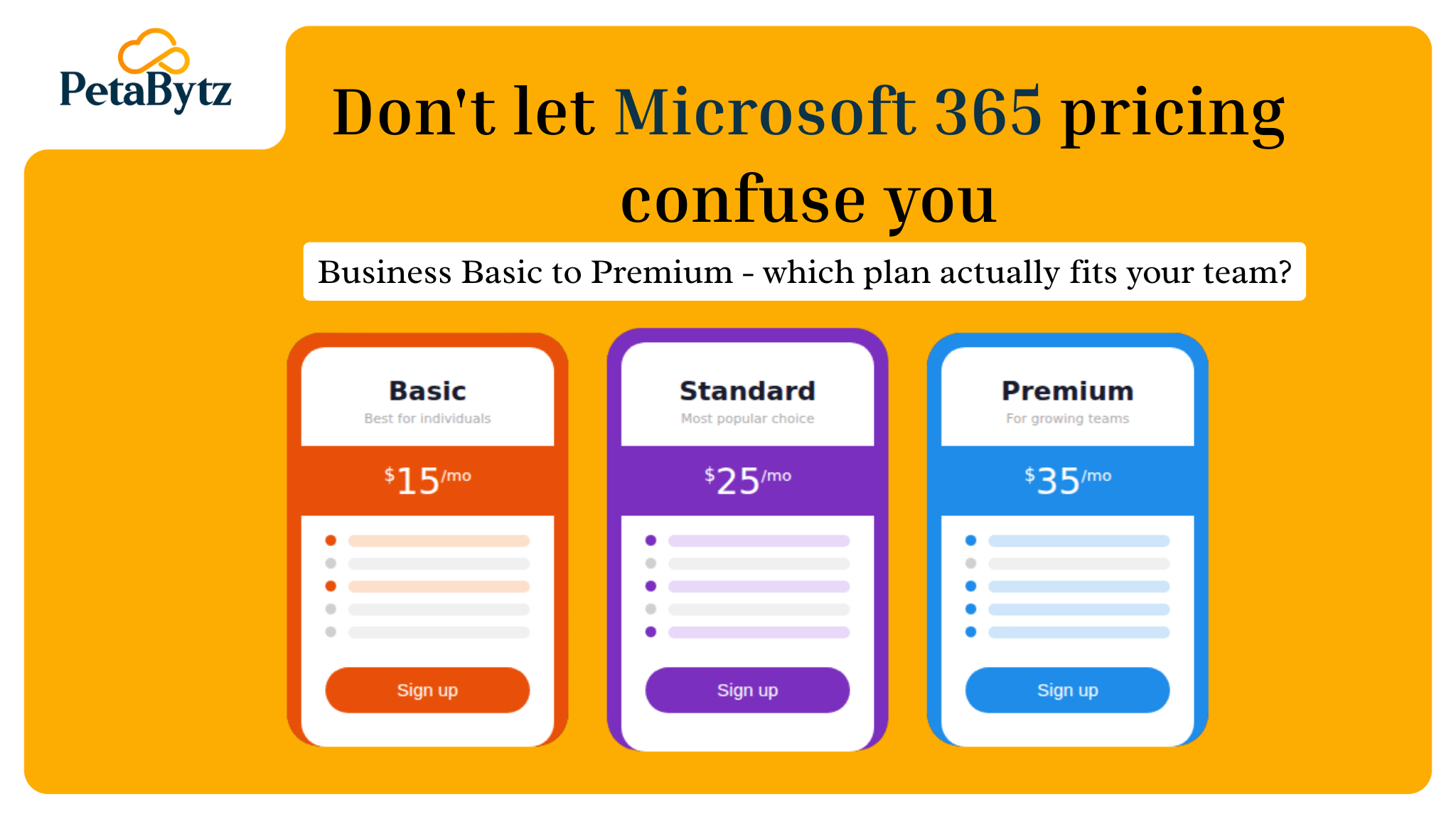
In global USD pricing, Business Basic starts around $6 per user per month. Business Standard sits at $12.50. Business Premium runs $22.
If you’re comparing Microsoft 365 price in India, these figures convert to roughly ₹500 to ₹1,800 per user per month depending on the plan and billing cycle. The ms office 365 price also varies by reseller and volume commitment.
Annual billing typically saves you 15–20% compared to month-to-month. If you know you’ll use the platform for a year, commit annually.
Enterprise Microsoft 365 pricing is negotiated. If you have 500 or more users, you are not buying off a public price sheet. You are in a licensing agreement discussion.
One thing most buyers miss: add-on licensing. Phone System, Defender for Endpoint, and Advanced Compliance are all priced separately. These extras can quietly double your effective per-user cost.
Which Microsoft 365 plan fits your use case
Choosing the right Microsoft 365 plan becomes simple when you match it to your actual scenario. Here is how the tiers align with real-world situations.
Startup or small team (under 10 users)
You need email, file storage, and basic collaboration. Business Basic covers this well. If your team works heavily in Excel or Word daily, step up to Business Standard.
Growing SMB (10–100 users)
Business Standard is the default Microsoft 365 plan for this segment. You get Teams, full desktop apps, SharePoint, and OneDrive. It handles most business workflows without overpaying for enterprise features.
Regulated industries or high-security environments
Business Premium or E3 is your baseline. You need data loss prevention, conditional access, and endpoint management. Standard plans do not give you that level of control.
Large enterprise (300+ users)
You are in enterprise territory. Evaluate E3 vs E5 based on whether you need advanced SIEM integration, Microsoft Purview compliance, or voice capabilities built in.
Nonprofit or educational institution
Apply for Microsoft’s nonprofit grants. You may qualify for heavily discounted or free plans. This can dramatically reduce your office 365 subscription cost compared to standard pricing.
The most expensive Microsoft 365 licensing mistakes
Most Microsoft 365 cost problems come from one of these five mistakes. Recognizing them early can save you thousands per year.
Mistake 1: Buying the same plan for everyone
Your receptionist does not need Business Premium. Your CFO probably does. Role-based licensing can cut costs by 20–30% in most organizations.
Mistake 2: Ignoring unused licenses
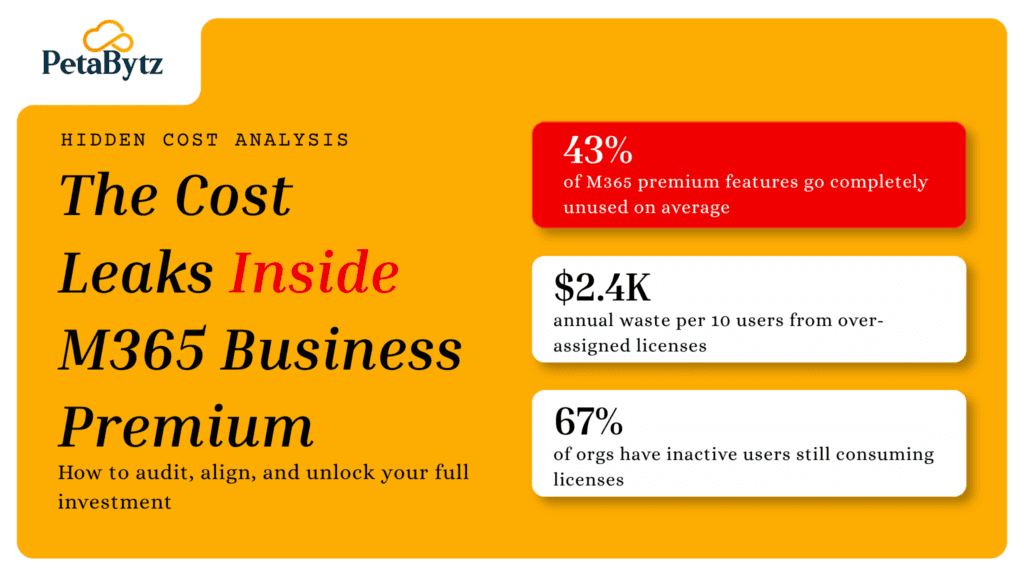
Companies with 100 or more users almost always carry ghost licenses. People who left, roles that changed, departments that restructured. A licensing audit typically finds 10–15% pure waste.
Mistake 3: Not understanding what is already included
Buyers often purchase add-ons they already own inside their Microsoft 365 plan. Defender, Intune, and Azure AD P1 are included in Business Premium. Many companies pay for them twice without realizing it.
Mistake 4: Monthly billing when annual is cheaper
Unless you have a specific reason to stay flexible, you are paying a premium on any Microsoft 365 pricing tier. Annual commitment almost always saves money.
Mistake 5: Renewing without reviewing
Your business three years ago had different needs than today. But auto-renewal does not care. Review your Microsoft 365 plans before every renewal cycle. Your requirements change. Your licensing should too.
Microsoft 365 vs Office 365: what actually changed
Many people still search for office 365 plans and office 365 price because that is what they knew. Here is the clear version. In 2020, Microsoft rebranded most Office 365 plans as Microsoft 365. The apps stayed the same. What changed was the scope.
Microsoft 365 is a broader suite. It includes everything in Office 365 plus additional security features, device management tools, and AI-powered productivity capabilities. Some Office 365 plans still exist, primarily for enterprise customers who have not yet migrated. But for new buyers, Microsoft 365 is the current and recommended product.
When comparing office 365 subscription options to Microsoft 365 Business plans, Microsoft 365 consistently offers more value at similar or slightly higher price points.
The short answer: if you are starting fresh, choose Microsoft 365. If you are on an old Office 365 plan, assess whether upgrading makes financial sense before your next renewal.
A simple decision framework for choosing the right plan
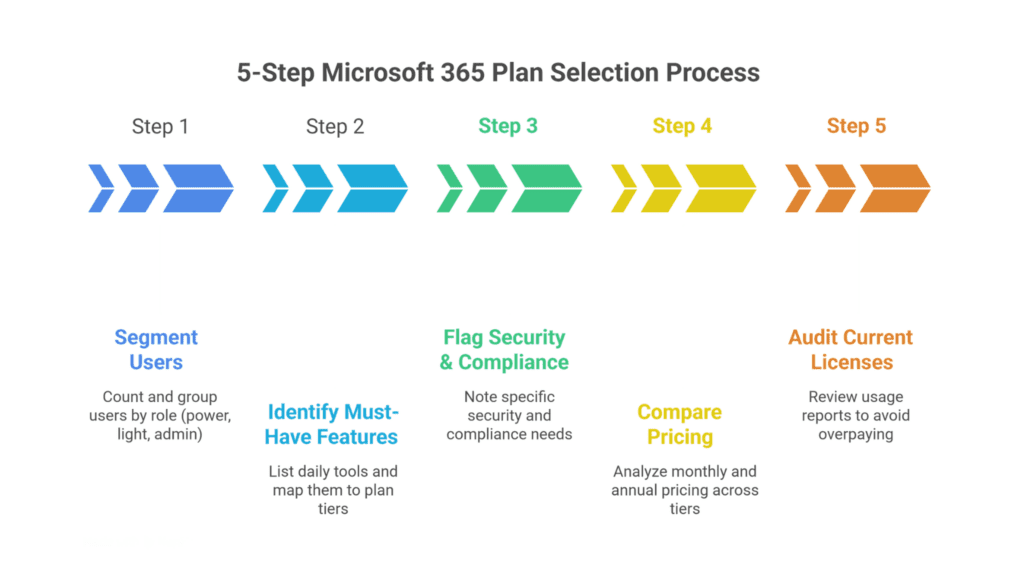
Step 1: Count your users and segment by role. Not everyone needs the same plan. Think in groups: power users, light users, admin-only users.
Step 2: Identify your must-have features. List the tools your team uses daily and map each to the relevant Microsoft 365 plans tier. Teams, Outlook, SharePoint, desktop apps — each has a minimum tier requirement.
Step 3: Flag your security and compliance requirements. If you are in finance, healthcare, or legal, Business Premium or E3 is likely your starting floor.
Step 4: Compare Microsoft 365 pricing at each tier for your user count. Check both monthly and annual rates. Factor in any add-ons you may need on top.
Step 5: Audit your current Microsoft 365 licenses before buying more. Pull a usage report. You may already be paying for features and seats that have not been activated yet.
This five-step process takes about 30 minutes. It saves you months of paying for the wrong Microsoft 365 plans and gives you a defensible basis for your licensing decision.
How Microsoft 365 licensing complexity drains your budget – and what to do about it
The issue is not just understanding Microsoft 365 plans. It is managing them over time.
Your company grows. People join and leave. Roles change. And your licensing structure silently misaligns. You end up paying for seats that are not used, missing security features you actually needed, and renegotiating contracts without leverage.
This is where having a dedicated licensing partner changes the game.
Petabytz’s M365 Licensing Service handles this end to end. From initial Microsoft 365 plans selection and cost optimization to ongoing license management, renewals, and compliance tracking. You do not have to become a Microsoft licensing expert. You just need the right partner in your corner.
Companies that work with a managed licensing partner typically reduce their Microsoft 365 spend by 15–25% in the first year. Not by cutting tools. By using what they already pay for more intelligently.
Conclusion
You do not need to overcomplicate this.
Microsoft 365 plans look complex because Microsoft built them for every type of business on the planet. But your business is specific. Your requirements are specific. And there is a plan that fits exactly what you need.
The confusion around Microsoft 365 pricing comes from trying to evaluate every tier at once. Use the framework above instead. Segment your users. Match features to roles. Audit what you already have before buying anything new.
Microsoft 365 is one of the most powerful productivity platforms available today. Most businesses only use 40–60% of what they pay for. Getting your licensing right means getting far more from the investment you are already making.
You have the information now. The next step is simple: run through the decision framework, stop paying for the wrong plan, and start using the full power of what you have.
Frequently Asked Questions (FAQ’s)
Q1: What is the difference between Microsoft 365 Business Basic and Business Standard?
Business Basic includes web and mobile apps, Teams, and Exchange. Business Standard adds full desktop Office apps. If your team works heavily in Word, Excel, or PowerPoint, choose Standard. The Microsoft 365 pricing difference is about $6.50 per user per month.
Q2: What is the Microsoft 365 price in India for small businesses?
Microsoft 365 price in India typically ranges from ₹480 to ₹1,750 per user per month depending on the plan tier. Annual billing reduces cost significantly. Reseller pricing may vary slightly from Microsoft’s direct office 365 price listing.
Q3: Are Office 365 plans still available or have they been replaced by Microsoft 365?
Most Office 365 plans have been rebranded as Microsoft 365 plans. Some enterprise Office 365 subscriptions still exist for legacy customers. For new buyers, Microsoft 365 plans offer better value and are the recommended choice.
Q4: Can I mix different Microsoft 365 plans for different employees?
Yes. You can mix and match microsoft 365 plans across your organization. Assigning Business Basic to light users and Business Premium to admins is a common and cost-effective approach most licensing experts recommend.
Recent Posts