What Is Microsoft Dynamics 365 Security?
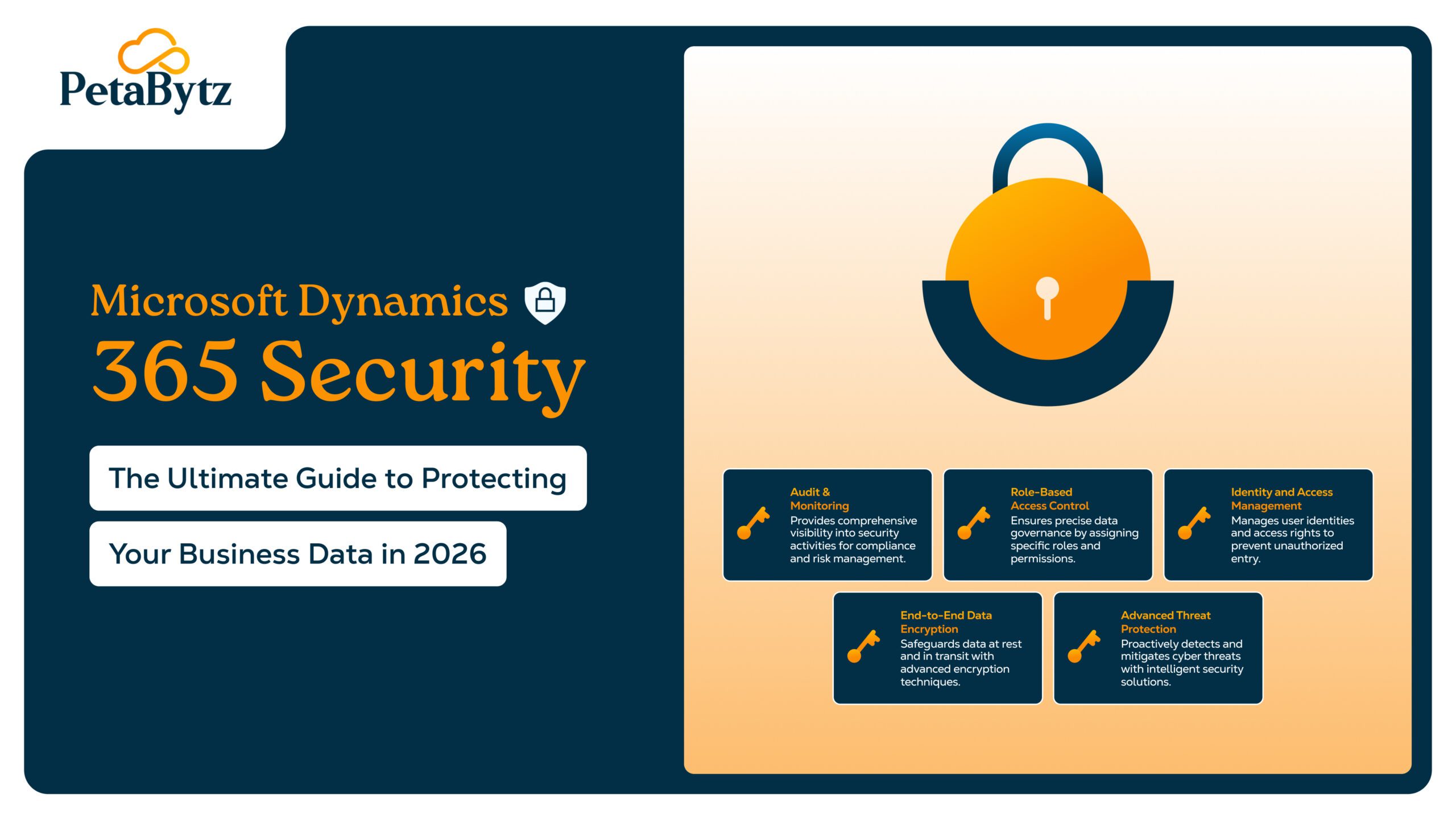
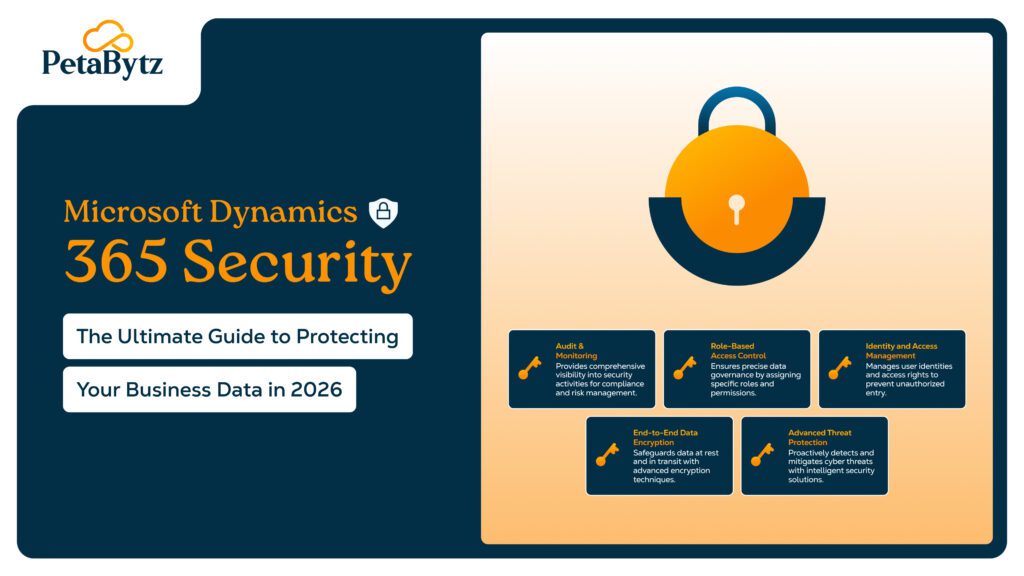
Microsoft Dynamics 365 security is a multi-layered architecture built around four pillars: identity and access management, data security, threat protection, and compliance. These layers work together continuously, not in isolation. The platform runs on Microsoft Azure — one of the most certified cloud environments in the world, with over 90 global compliance certifications.
Through Microsoft Entra ID (formerly Azure Active Directory), Dynamics 365 security integrates natively with the broader M365 security ecosystem. Users get single sign-on, conditional access, and unified threat intelligence that spans every Microsoft application — meaning securing Microsoft 365 simultaneously strengthens your Dynamics 365 environment.
Core Microsoft Dynamics 365 Security Features
Role-Based Access Control (RBAC)
RBAC is the backbone of Dynamics 365 security. Define exactly what each user role can see, create, edit, or delete. Field-level security lets you restrict sensitive data — like salary figures or payment details — from users who don’t need it. Start with the principle of least privilege and audit roles regularly.
Data Encryption
All data at rest is protected with AES-256 encryption. Data in transit uses TLS 1.2+ protocols. For higher-sensitivity needs, Microsoft offers customer-managed encryption keys, giving your organisation direct control over how your data is protected.
Advanced Threat Protection
Microsoft Dynamics 365 integrates with Microsoft Defender for Cloud Apps to monitor for suspicious behaviour in real time — unusual logins, bulk data downloads, access anomalies. Combined with Office 365 Advanced Threat Protection (AI-powered phishing detection, Safe Links, and Safe Attachments), your CRM and communication channels are protected simultaneously.
Audit Logs and Identity Management
Tamper-evident audit logs capture every user action — who accessed what, when, and from where. Microsoft Entra ID adds MFA, conditional access, and privileged identity management across the entire Microsoft 365 and Dynamics 365 environment. Microsoft reports MFA alone blocks over 99.9% of automated account compromise attacks.
How Microsoft 365 Security Enhances Dynamics 365 Protection
The 365 security solutions ecosystem amplifies Dynamics 365 in three key ways:
- Office 365 spam protection applies connection filtering, content filtering, and global threat intelligence to block phishing, spoofed senders, and bulk abuse — before they reach your Dynamics 365 users.
- Office 365 data protection via Microsoft Purview enforces DLP policies across email, Teams, SharePoint, and Dynamics 365 — automatically blocking sensitive data from leaving approved boundaries.
- Microsoft Defender XDR (Extended Detection and Response) unifies alerts from all Microsoft services into a single console, dramatically speeding up threat investigation and response.
Did you know? Microsoft processes over 156 trillion threat signals daily across its security ecosystem — feeding real-time intelligence directly into your Microsoft Dynamics 365 environment. |
Best Practices to Maximise Dynamics 365 Security
Configure these five controls to get the most from your Microsoft Dynamics 365 security setup:
- Enable MFA across your entire Microsoft 365 tenant, enforced via Conditional Access based on user risk and device health.
- Implement RBAC with least-privilege access and conduct quarterly role audits, especially after role changes or departures.
- Activate DLP policies across Dynamics 365, email, Teams, and SharePoint to prevent unauthorised data sharing.
- Review Dynamics 365 audit logs regularly — schedule monthly access reviews for privileged accounts.
- Run security awareness training for all Dynamics 365 users. Verizon’s 2024 DBIR found 74% of breaches involve the human element.
Real-World Use Cases
Financial Services
A regional bank uses Microsoft Dynamics 365 RBAC and field-level security to ensure client data is accessible only to authorised advisors. Conditional Access and MFA automatically block suspicious overseas login attempts, satisfying FCA and SEC audit requirements without a custom compliance build.
Healthcare
Healthcare providers leverage HIPAA-compliant data processing in Microsoft Dynamics 365, end-to-end encryption, and Office 365 data protection DLP policies to prevent patient records from leaving the secure environment — achieving compliance without a separate platform.
Retail & E-commerce
Retailers use advanced threat protection to monitor for abnormal data export patterns and Office 365 spam protection to keep outbound communications clean, protecting both customer data and brand reputation simultaneously.
Conclusion: Security That Accelerates Your Business
Security done right doesn’t slow your business down — it accelerates it. Microsoft Dynamics 365, integrated with the broader Microsoft 365 security ecosystem, gives organisations of any size a unified, intelligent, compliance-ready security foundation. With built-in RBAC, AES-256 encryption, AI-driven threat detection, and seamless M365 security integration, it’s one of the most capable security platforms available today.
At PetaBytz Technologies Inc., we help organisations design, deploy, and optimise Microsoft Dynamics 365 security environments across industries. Whether you’re starting fresh or hardening an existing setup, we bring the expertise to get it right the first time.
Ready to Secure Your Microsoft Dynamics 365 Environment?
www.petabytz.com | Schedule a Free Security Assessment | info@petabytz.com
Frequently Asked Questions (FAQ’s)
 INDIA
INDIA
 USA
USA CANADA